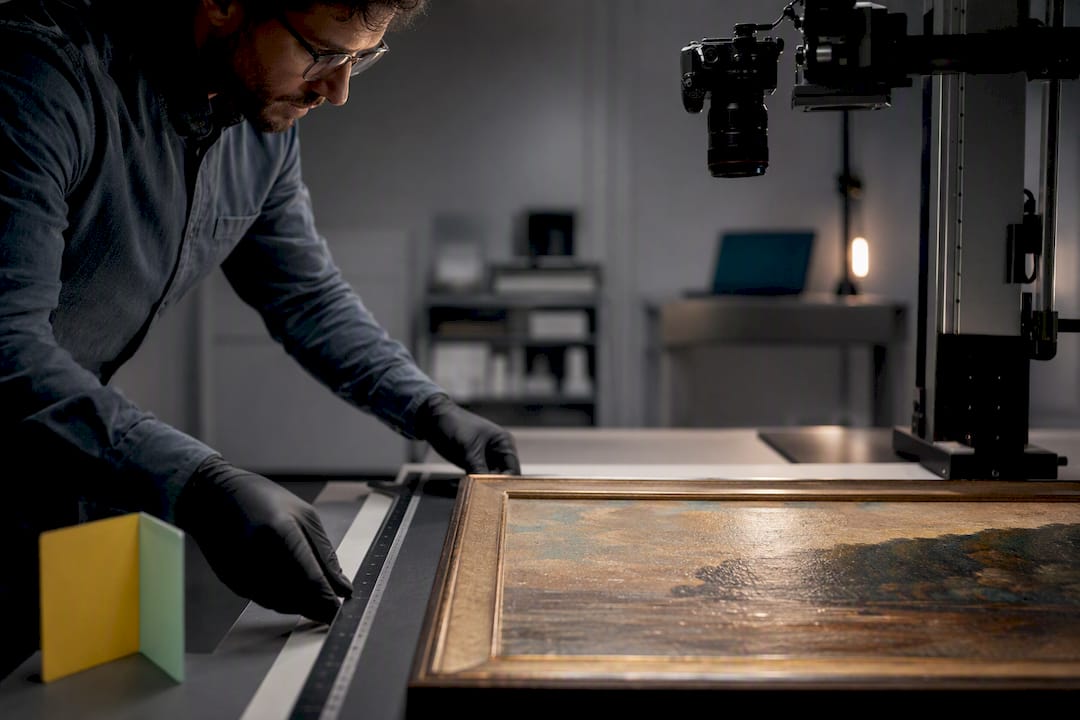
Cloud-based art storage is defined as the practice of storing, organizing, and managing art files and related documentation on remote servers accessible via the internet. The National Institute of Standards and Technology (NIST) classifies this model under cloud computing infrastructure, where data lives off-site and users access it from any device with an internet connection. For artists, collectors, and gallery owners, this means high-resolution images, provenance records, and valuation documents are no longer tied to a single hard drive. Artworksoft, as an art management platform, builds on this foundation by connecting digital asset storage to inventory tracking, documentation, and transactions in one place.
What is cloud-based art storage and why does it matter?
Cloud-based art storage is the recognized industry term for what practitioners also call “digital art storage in the cloud.” The core function is straightforward: files are uploaded to remote servers managed by a third-party provider, and authorized users retrieve them via the internet. The practical impact goes well beyond simple file hosting.
Artists working with large-format paintings or digital series generate files that can reach several gigabytes each. Local hard drives fill up, fail, and cannot be accessed from a gallery across the country. Cloud storage removes those constraints by offering capacity that scales with the collection, not with the hardware budget. Remote access to files means a gallery owner in Chicago can review a high-resolution image submitted by an artist in Los Angeles within seconds.

The security argument is equally strong. Cloud platforms offer automated multi-site backups and security features like encryption and two-factor authentication that surpass what most local storage setups can provide. That level of protection matters when the files represent significant financial and cultural value.
How does cloud storage improve workflow for artists and galleries?
Migrating to cloud-based storage reduces file management time by up to 40% compared to traditional local storage. That figure reflects fewer hours spent manually organizing folders, hunting for the latest version of a file, and transferring data between devices.
Cloud platforms feature built-in version control that automates file history tracking. This eliminates the manual version errors that are common in local storage, where files named “final_v3_REAL_final.psd” are a familiar problem for anyone who has managed a large art archive. With version control, every saved state is logged automatically, and any previous version is retrievable on demand.
Cloud storage enables real-time collaboration and instant access to high-resolution files globally, which changes how galleries and artists work together. A curator can annotate a work-in-progress file while the artist is still in the studio. A collector can receive a secure link to a Certificate of Authenticity without waiting for a physical document to arrive.
Key workflow benefits of cloud art storage include:
- Automatic syncing across all devices, so the most current file is always available
- Centralized file organization that replaces scattered local folders and external drives
- Secure sharing links for galleries, buyers, and collaborators without email attachments
- Searchable archives using metadata tags for medium, size, year, and location
- Audit trails that log who accessed or modified a file and when
Pro Tip: Tag every file at upload with at least four metadata fields: artist name, medium, year, and location. This takes under a minute per file and saves hours when searching a collection of 500 or more works.
How does cloud storage compare to local storage for art files?
The differences between cloud and local storage are not just technical. They affect daily operations, long-term preservation, and the ability to share work professionally.
| Feature | Cloud storage | Local storage |
|---|---|---|
| Collaboration | Real-time, multi-user access | Single-user or manual file transfer |
| Accessibility | Any device, any location | Restricted to the physical device |
| Security | Encryption, two-factor authentication, multi-site backup | Dependent on local hardware and user practices |
| Scalability | Capacity expands on demand | Fixed by hardware purchase |
| Backup | Automated and redundant | Manual and single-point |
| Version control | Built-in and automatic | Manual naming conventions |
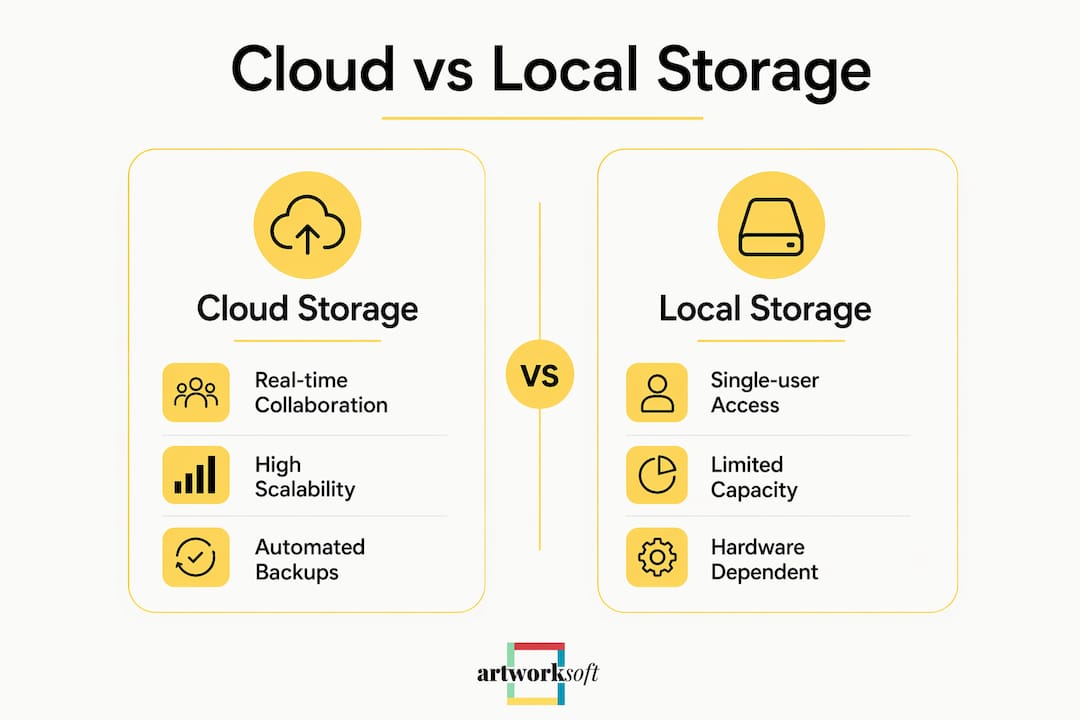
Local storage fails most often at the worst possible moment. Hardware failure is not a rare event; it is an expected outcome over a long enough timeline. A single drive failure can erase years of documentation, provenance records, and high-resolution master files. Cloud storage addresses this with multi-site redundancy, meaning files are copied across multiple physical data centers simultaneously. If one server fails, the data remains intact on others.
Scalability is another area where local storage cannot compete. Purchasing additional hard drives is a recurring cost with a physical ceiling. Cloud storage tiers expand on demand, and costs scale with actual usage rather than anticipated future needs.
What security and file integrity standards apply to cloud art storage?
Secure cloud storage for artwork depends on three layers of protection: encryption, access control, and file integrity verification.
Encryption protects files both in transit and at rest. Most professional cloud platforms apply AES-256 encryption, the same standard used by financial institutions. Two-factor authentication adds a second verification step, so a stolen password alone cannot grant access to a collection.
Object lock and versioning features protect against accidental or malicious deletion. When versioning is active, deleting a file does not erase it permanently. The previous version remains recoverable for a defined period. This matters for galleries managing works with complex ownership histories, where documentation must be preserved exactly as it was created.
Checksum verification techniques like SHA-256 ensure bit-for-bit integrity of high-resolution art files after upload, preventing silent corruption. Silent corruption is a real risk: a file can appear intact visually while containing damaged data at the pixel level. Running a SHA-256 checksum on upload and again on download confirms the file has not changed.
Key security practices for cloud art storage:
- Enable two-factor authentication on every account with access to the collection
- Use versioning to maintain a recoverable history of every file
- Run SHA-256 checksums on master files at upload and periodically thereafter
- Restrict sharing permissions so collaborators access only the files they need
- Review access logs regularly to identify unauthorized activity
Pro Tip: Balancing cloud and local storage prevents single points of failure. Keep one local backup copy of master files on an external drive stored separately from the primary workstation.
Best practices for using cloud storage effectively as an artist or gallery
Effective cloud adoption starts with understanding storage tiers. Modern cloud platforms offer tiered storage options, hot and cold, to balance access speed and cost for master art preservation. Hot storage keeps files immediately accessible and costs more per gigabyte. Cold storage archives files that are rarely accessed at a fraction of the cost, with retrieval times measured in minutes rather than seconds.
A practical tier strategy for a working gallery looks like this:
- Place active works in hot storage. Any piece currently on exhibition, in negotiation, or under active documentation belongs in hot storage for instant retrieval.
- Move sold or archived works to cold storage. Once a transaction closes and documentation is complete, the master files move to cold storage. Access is infrequent, and the cost savings are significant at scale.
- Organize folders by collection, year, and status. A consistent folder structure prevents the chaos that accumulates when files are added without a naming convention.
- Apply metadata at the point of upload. Tags for medium, dimensions, location, and provenance make files searchable without opening each one individually.
- Schedule a monthly backup audit. Confirm that local backups are current, that versioning is active, and that access permissions reflect the current team.
Cloud platforms engineered for large image libraries handle high-resolution RAW files far better than consumer-grade backup tools. Professional platforms maintain file fidelity across upload and download cycles, which is non-negotiable for archival-quality art documentation. Platforms like Artworksoft integrate art documentation workflows directly with storage, so provenance records, condition reports, and Certificates of Authenticity stay linked to the correct image files.
Key Takeaways
Cloud-based art storage is the most reliable method for artists, collectors, and galleries to protect, organize, and share high-resolution art files and documentation at any scale.
| Point | Details |
|---|---|
| Core definition | Cloud art storage keeps files on remote servers with internet access from any device. |
| Workflow efficiency | Cloud storage reduces file management time by up to 40% versus local storage. |
| Security standards | Encryption, two-factor authentication, and SHA-256 checksums protect file integrity. |
| Storage tiers | Hot tiers serve active works; cold tiers archive sold pieces at lower cost. |
| Backup strategy | Combining cloud with a local backup copy prevents single points of failure. |
The shift I keep seeing artists miss
Most artists I have observed treat cloud storage as a filing cabinet. They upload files, forget about them, and call it done. That approach wastes most of what cloud storage actually offers.
The real value is in the workflow layer sitting on top of the storage. Version control, metadata tagging, access permissions, and sharing links are not optional extras. They are the features that separate a professional archive from a digital junk drawer. An artist who tags every file correctly at upload can locate any work in a collection of a thousand pieces in under ten seconds. One who does not will spend twenty minutes searching for a file they uploaded last month.
The other mistake I see consistently is cloud-only reliance. Cloud platforms are reliable, but no infrastructure is immune to outages, account lockouts, or policy changes by the provider. A local backup copy, stored separately and updated monthly, costs almost nothing and eliminates that risk entirely. The artists and galleries with the most resilient archives treat cloud and local storage as partners, not substitutes.
The final point worth making: not all cloud platforms handle large art files equally. Consumer-grade tools designed for documents and spreadsheets degrade or compress high-resolution images. Professional platforms built for image libraries preserve every pixel. Choosing the right platform is not a minor detail. It determines whether the archive is actually usable five years from now.
— Nealda
Artworksoft and cloud-enabled art inventory management
Artworksoft connects cloud storage principles directly to art inventory management, giving artists, collectors, and galleries a single place to organize files, track locations, and manage documentation.

The platform links high-resolution images to artwork profiles, provenance records, condition reports, and transaction histories. Every document stays attached to the correct work, regardless of where the piece is physically located. Artworksoft also generates professional documentation including Certificates of Authenticity, which can be shared securely with buyers and institutions. Artists and galleries can start a free art inventory to see how centralized digital management reduces the administrative burden of running a collection. For those focused on collection documentation, the well-documented asset guide outlines exactly how to structure records for long-term value.
FAQ
What is cloud-based art storage in simple terms?
Cloud-based art storage is a method of keeping art files and documentation on remote servers that you access via the internet, rather than on a local hard drive or physical device.
How does cloud storage protect high-resolution art files?
Professional cloud platforms use AES-256 encryption, two-factor authentication, and SHA-256 checksum verification to protect files from unauthorized access and silent corruption.
What is the difference between hot and cold cloud storage for art?
Hot storage keeps files immediately accessible for active works, while cold storage archives rarely accessed files at a lower cost, with slightly longer retrieval times.
Do artists still need local backups if they use cloud storage?
Yes. Combining cloud storage with a local backup copy prevents single points of failure caused by outages, account issues, or provider policy changes.
How does cloud storage improve collaboration between artists and galleries?
Cloud storage gives multiple authorized users real-time access to the same high-resolution files and documentation, eliminating delays caused by physical file transfers or email attachments.