White label gallery software is cloud collection management software that one company builds and a gallery rebrands as its own to organize, value, document, and share artwork. Choose a rebrandable skin for basic collector-facing portals, but move to a gallery-specific or custom-built system once consignment splits, provenance chains, and royalty tracking enter the picture. Some gallery software fits galleries at either stage, since its structure accounts for art-specific data.
TL;DR:
- Rebranded horizontal platforms are quick to deploy but generally lack complex features like consignment splits, royalty calculations, and provenance modeling.
- Gallery-specific systems or custom builds are necessary if detailed collections, multiple sales channels, or documentation for insurers are essential to operations.
- Full control over data ownership and export rights favors custom or gallery-specific software over white-label skins with vendor-held roadmaps.
- Gallery size and workflow complexity determine whether a simple rebrand, a gallery-specific platform, or a custom build best fits needs and budget.
- Artworksoft offers a ready-to-use, art-focused management system that models artwork data, provenance, and transactions, starting with a free plan.
Table of Contents
- How Does White Label Gallery Software Actually Work?
- White-Label Skin, Gallery-Specific Product, or Custom Build?
- Essential Art-Specific Features for a Rebrandable Gallery System
- What’s a Realistic Timeline for Launching a White-Label System?
- How Should Galleries Price and Package White-Label Software?
- How Artworksoft Fits Into This Decision
- What Galleries Usually Miss When Evaluating This
- Start Managing Your Collection Under Your Own Brand
- Sources
- FAQ
How Does White Label Gallery Software Actually Work?
A vendor builds the core platform. A gallery licenses it, applies its own logo, colors, and domain, then resells or offers it to clients as if it built the software itself. That’s the entire premise behind white label SaaS, and it explains why the model spread so fast across finance, real estate, and now art businesses.
Branding depth varies a lot between vendors, and that range matters when you’re comparing options:
- Logo swap: your mark and colors replace the vendor’s, but the URL still shows the vendor’s domain.
- Custom domain: clients access the platform through your own web address, with no trace of the underlying vendor.
- Branded mobile apps: your gallery’s name appears in app stores, a step few vendors actually support well.
Once you rebrand the software, several jobs shift onto your team: billing your own clients, onboarding new staff or consignors, and fielding day-to-day support questions the vendor won’t touch. Read the reseller agreement carefully. Some vendors handle backend support while you handle the client relationship; others hand you the entire support burden the moment you flip on your logo.
White-Label Skin, Gallery-Specific Product, or Custom Build?
The right answer depends on how much of your workflow lives outside a basic client-facing portal. Three paths cover almost every gallery’s situation:
- A rebranded horizontal platform gets a client portal live in one to three weeks, according to RapidDev’s market review. It works well for a gallery that mainly needs a polished way to share inventory and pricing with collectors, with no complex back-office logic behind it.
- A gallery-specific system built around art data (provenance fields, consignment terms, exhibition history) fits galleries running active consignment relationships, multiple sales channels, or documentation that has to satisfy insurers and buyers alike.
- A fully custom build makes sense only when your gallery’s workflow is genuinely unlike anyone else’s, since ZTABS’ build versus buy analysis notes custom development trades speed for total control over the roadmap.
Horizontal platforms rarely model consignment splits, royalty percentages, or multi-step provenance out of the box. RapidDev’s review found that most white-label dashboards lack this logic entirely, which pushes galleries toward custom development or toward a system already built with art-specific fields.
Data ownership is the other deciding factor. A white-label skin usually leaves the vendor holding the roadmap and, in some cases, your export rights. If keeping full control over your collection data matters more than a fast launch, that trade-off should drive the decision, not the other way around.
Essential Art-Specific Features for a Rebrandable Gallery System
A rebranded interface means nothing if the underlying data model can’t hold what a gallery actually needs to track. Before signing with any vendor, confirm the platform supports:
- A detailed artwork record: medium, dimensions, edition number, condition notes, and a complete provenance chain from first sale to current owner.
- Consignment splits and settlement statements: the ability to calculate and document what the gallery, artist, and any third party owe each other after a sale.
- Royalty handling for artists who retain resale rights or ongoing percentages.
- Document generation, including Certificates of Authenticity, invoices, and private viewing room links clients can access without a full account.
- QR-code linking between physical artworks and their digital records, useful for condition checks and loan tracking.
- Movement and location tracking, so a piece on loan or in transit shows an accurate chain of custody.
- Multi-tenancy with real data isolation, meaning your gallery’s records never mix with another tenant’s on the same platform. Domo’s analysis of white-label analytics makes clear that bolted-on isolation, rather than isolation built into the platform itself, becomes a long-term security liability the reseller inherits.
- Integrations with payment processors, shippers, and imaging tools, plus a clear, written export policy for your data.
Pro Tip: Ask any vendor to show you an actual Certificate of Authenticity and a consignment settlement statement generated inside the platform, not a mockup. If they can’t produce one on the spot, the feature probably isn’t built yet.
Artworksoft’s artwork profile management tools were built around this exact list, rather than added on afterward.
What’s a Realistic Timeline for Launching a White-Label System?
Most gallery teams underestimate cleanup time and overestimate branding time. A sane sequence looks like this:
- Audit existing data. Pull every spreadsheet, paper ledger, and half-finished database you currently use, and map which fields you’ll need to export and where they’ll land.
- Clean and import data, then build templates for consignment agreements and certificates so every new artwork record follows the same structure from day one.
- Apply branding: logo, domain, single sign-on if your team needs it, and staff or client roles with the right permissions for each.
- Run staging tests, including a full settlement statement end to end, before anyone outside your team touches the live system.
- Train staff, test a real consignment settlement, then go live with a documented rollback plan and a fresh export of your data as insurance.
A rebranded horizontal skin can be live in a few weeks. A gallery-specific build that properly models provenance and consignment typically runs several weeks longer and costs in the low five-figure range, depending on integration depth. Build the export and rollback step into your plan from the start, not as an afterthought once something breaks.
How Should Galleries Price and Package White-Label Software?
Vendors bill white-label access several different ways: a flat license fee, per-seat pricing, per-account fees, a revenue share on sales processed through the platform, or usage-based fees tied to transaction volume. Know which model you’re signing before you calculate what margin the software actually leaves you.
The software itself rarely stays differentiated for long, since any competitor can rebrand a similar platform. What holds margin is the service wrapped around it:
- Offer onboarding and data migration as a paid add-on rather than a free setup step.
- Package valuation reports and ongoing collection management as recurring services billed alongside software access.
- Bundle art sourcing or advisory work into higher-tier client relationships.
EditorialGE’s breakdown of white-label economics confirms this pattern across industries: subscription markup alone rarely covers the real cost of running the offer, but tiered packages with services attached usually do. Before signing any contract, negotiate export format and timeline, the window you have to request customization, service-level guarantees, and, critically, what happens to your data access the day you terminate.
How Artworksoft Fits Into This Decision
Artworksoft was built around the exact gap this guide describes: a system that connects artwork, location, and transaction data without forcing a gallery to bolt custom development onto a generic CRM. Its structured valuation formula removes the guesswork collectors and emerging artists usually face when pricing work, and its documentation tools generate Certificates of Authenticity while tracking every movement a piece makes, so nothing gets lost between consignment and sale.
Some software includes community features that raise an artist’s visibility, adding a professional presence layer that many collection management tools do not offer.
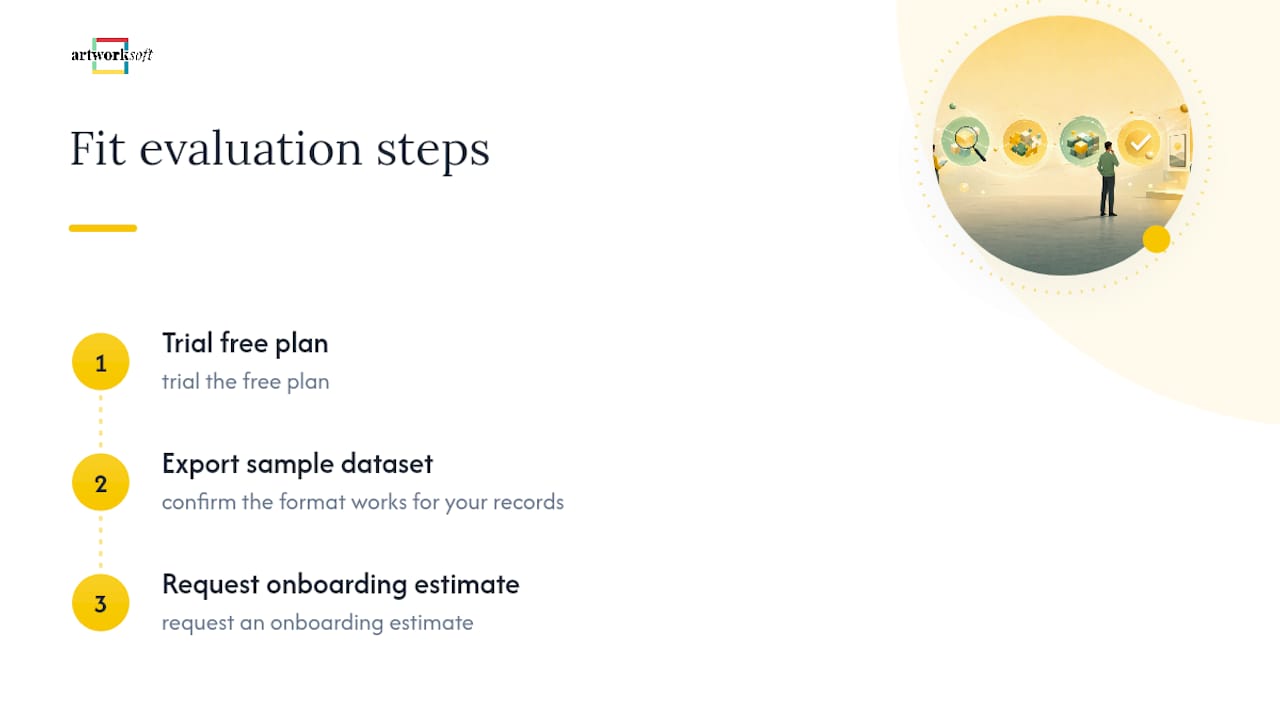
If you’re evaluating fit, start with three concrete steps: trial the free plan, export a sample dataset to confirm the format works for your records, and request an onboarding estimate before committing to a paid tier. That sequence tells you more in a week than any sales call will.
What Galleries Usually Miss When Evaluating This
The pitch always sounds clean: rebrand a platform, launch fast, skip the build. What that pitch leaves out is the custom development layered on top of a horizontal system once you actually try to model consignment splits or royalty percentages correctly. That work rarely shows up in the initial quote.
Speed-to-market wins when your only real need is a polished client portal. Ownership matters more once your gallery is managing consignment relationships or building a documentation trail that has to hold up for insurers and future buyers. A rough rubric: small galleries with simple sales usually do fine with a rebrandable skin; mid-size operations juggling consignment need a gallery-specific data model; large or multi-location galleries should weigh custom development against the roadmap control they’d give up otherwise.
— Nealda
Start Managing Your Collection Under Your Own Brand
Artworksoft gives galleries a direct alternative to stitching together a generic CRM and custom code just to track consignment and provenance correctly. Instead of the multi-week rebuild horizontal platforms usually require, Artworksoft already models artwork, location, and transaction data the way a gallery actually works.

You can start on the Free Plan today with no upfront commitment, or move to the Provenance Plan at $5 per month once you need unlimited artworks and branded documentation. Galleries that want a guided setup rather than a self-serve trial can request the Onboarding & Collection Management Service for a hands-on migration and workflow review. Either path gets your collection organized under your own name, not a vendor’s.
Sources
For deeper context on the mechanics discussed above, see Noirci Studio’s verification standard for provenance and authentication practice, and Domo’s explainer on white-label analytics for the technical side of multi-tenancy.
- What Is White Label SaaS and How Does It Make Money?
- White-Label SaaS: Build vs Buy Decision Guide (2026) | ZTABS
- White Label Art Galleries Dashboard: Options | RapidDev
- What is white-label analytics and why does it matter?
FAQ
Is White-Label Gallery Software Secure for Client Data?
Security depends on whether the platform uses true multi-tenancy built into its architecture rather than isolation added on afterward, since bolted-on isolation becomes a long-term risk the reseller has to manage.
Can White-Label Platforms Handle Consignment Splits?
Most horizontal white-label platforms lack this logic entirely, so galleries running active consignment relationships typically need a gallery-specific system like Artworksoft or a custom build that models splits and settlement statements directly.
How Long Does a White-Label Gallery Rollout Take?
A rebranded horizontal skin can launch in one to three weeks, while a gallery-specific build that properly handles provenance and consignment usually takes several weeks longer.
When Should a Gallery Choose a Custom Build Instead?
Custom development makes sense when your workflow around consignment, royalties, or exhibition history is too specific for any existing platform, and you value full roadmap control over faster launch speed.
What Does Artworksoft Cost?
Artworksoft offers a Free Plan with no published price and a Provenance Plan starting at $5 per month, with full details listed on its pricing page.