A gallery sales tracking system needs four linked parts: a pipeline, a client relationship database, inventory records, and reporting. The practical first step is to choose one place to log every lead and sale starting today, and to assign each artwork a canonical inventory ID before building anything else.
TL;DR:
- Tracking only the most critical data fields ensures accurate reconciliation of collector profiles, artwork inventory, and sales financials, reducing errors and lost records.
- Following a consistent seven-stage sales workflow with attached artifacts minimizes deal stalls, missteps, and revenue reporting inaccuracies.
- Software features should prioritize contact segmentation, pipeline customization, inventory linkage, and reporting, avoiding reliance on generic or overly complex tools.
- Weekly and monthly routines must include payment reconciliation, record audits, and role assignments to prevent data decay and ensure ongoing accuracy.
- Integrating inventory and sales data in one purpose-built system, like Artworksoft, reduces orphaned records and simplifies management of returns, refunds, and multi-location sales coordination.
Table of Contents
- What data every gallery must track
- How a sale moves through repeatable stages
- Feature map: the software capabilities that actually matter
- Quick implementation checklist and data hygiene routine
- Why a purpose-built gallery system reduces these failure points
- Handling returns and refunds processes
- Integration with payment processing systems
- Sales tax and VAT tracking and compliance
- Multi-location gallery sales coordination and tracking
- What to prioritize at different gallery sizes
- Artworksoft: where the checklist meets the software
- FAQ
- Sources
What data every gallery must track
A reliable tracking system starts with consistent fields, not software features. Galleries that skip this step end up with records that cannot be reconciled later, regardless of which platform they use.
The following fields form the minimum viable dataset for gallery operations:
- Collector profile: contact details, buying history, stated preferences, and provenance notes tied to past purchases.
- Opportunity metadata: lead source, associated exhibition or event, and the staff member who owns the relationship.
- Inventory linkage: a canonical artwork ID, current condition notes, and a flag for whether a Certificate of Authenticity exists.
- Sale financials: agreed price, commission split, payment status, and any discount or negotiation history.
- Movement and paperwork: shipping status, insurance coverage, and attached documents such as invoices or condition reports.
Preference and provenance notes matter because repeat collectors respond to context, not generic outreach. A gallery that remembers a collector favors mid-career photography over emerging painters can tailor the next offer instead of sending a blanket announcement. Commission tracking matters for a different reason: galleries working with multiple artists on different splits need the percentage locked to the transaction record, not reconstructed from memory at tax time. Without that link, reconciling payouts becomes a monthly headache instead of a five-minute lookup.
How a sale moves through repeatable stages
Tracking only works when every sale follows the same sequence, with data captured at each handoff. A seven-stage structure covers most gallery transactions:
- Lead: a prospect expresses interest, captured with source and contact details.
- Qualified: budget and intent are confirmed, often during a studio or booth visit.
- Offer sent: a price and terms are proposed, typically by email.
- Agreed: the collector confirms, triggering an invoice.
- Invoiced: payment terms are set and the financial record is created.
- Paid: funds are confirmed and commission splits are calculated.
- Delivered: the work ships or is handed off, closing the transaction.
Each stage should attach its own artifact: the offer email, the signed invoice, the Certificate of Authenticity, and the shipping confirmation. Staff handoffs matter here. The person who closes a sale is not always the person who arranges shipping, so the record needs to show who owns the next action.
The most common failure mode is a sale that gets marked “closed” before payment clears, which then distorts revenue reporting for the month. A second is letting offers sit without a follow-up date, which quietly kills deals that only needed a reminder.
Pro Tip: Never advance a deal to “paid” until funds are confirmed in the bank, not just promised by the collector.
Feature map: the software capabilities that actually matter
Once the data fields and workflow are defined, software selection becomes a matching exercise rather than a guessing game. The categories below cover what a gallery actually needs, independent of any specific vendor.
- Contact segmentation: tagging collectors by medium preference, price range, and purchase history for targeted outreach.
- Configurable pipeline stages: custom deal stages with reminders so offers do not stall unnoticed.
- Inventory and provenance linkage: Certificates of Authenticity, condition reports, and movement history tied directly to the artwork record.
- Financial tools: invoice generation, commission calculation, and payment reconciliation in one place.
- Reporting dashboards: exportable KPIs covering sales by artist, by exhibition, conversion rate, and average sale price.
- Integration and data portability: clean import and export so historical spreadsheets are not stranded.
- Role permissions and audit trail: visibility into who changed a record and when, which matters once more than one staff member touches the system.
The GalleryFuel sales tracking and insights lesson frames this as planning paired with a regular review cadence rather than a one-time setup, which lines up with how most galleries actually use these tools day to day. A gallery evaluating software should walk through this list against its current spreadsheet or paper process and mark which categories are missing entirely, since that gap list becomes the actual buying criteria.
Quick implementation checklist and data hygiene routine
Setup in the first week should focus on structure, not features:
- Assign a canonical ID to every artwork in inventory.
- Import existing collector and sales records into one system.
- Photograph each piece to a consistent standard for provenance and sales use.
- Log every new lead and sale from day one, with no exceptions for “quick” deals handled by text or phone.
Weekly tasks should include reconciling payments against invoices and reviewing stalled offers. Monthly audits should check for orphaned records, missing COA flags, and KPI trends such as conversion rate and average sale price, echoing the review habit the GalleryFuel lesson recommends to avoid losing track of what is working.
Pro Tip: Assign one staff member as the data owner for the month. Shared responsibility without a named owner is how records go stale.
Why a purpose-built gallery system reduces these failure points
The workflows above work best when inventory and sales records live in the same system rather than across a spreadsheet and a separate invoicing tool. Some specialized art management systems link artwork records directly to transactions, generate Certificates of Authenticity and sales paperwork from the same data, and apply structured valuation approaches to reduce pricing guesswork. That linkage addresses the orphaned-record problem described earlier by tying every sale to a canonical artwork from the start.
Handling returns and refunds processes
Returns in a gallery context usually involve condition disputes, authentication questions, or a collector changing their mind within an agreed window. The sale record should support a reversal without deleting the original transaction history, since galleries need to show the full chain for tax and provenance purposes.
A clean returns process includes a few fixed rules. First, reopen the deal stage rather than erasing the sale, so the record shows it moved from “paid” back to “invoiced” or “agreed” with a reason noted. Second, recalculate commission splits immediately, since artists and consignors need to know their payout changed. Third, update the inventory record to reflect that the piece is back in the gallery’s possession, including any new condition notes from the return itself.
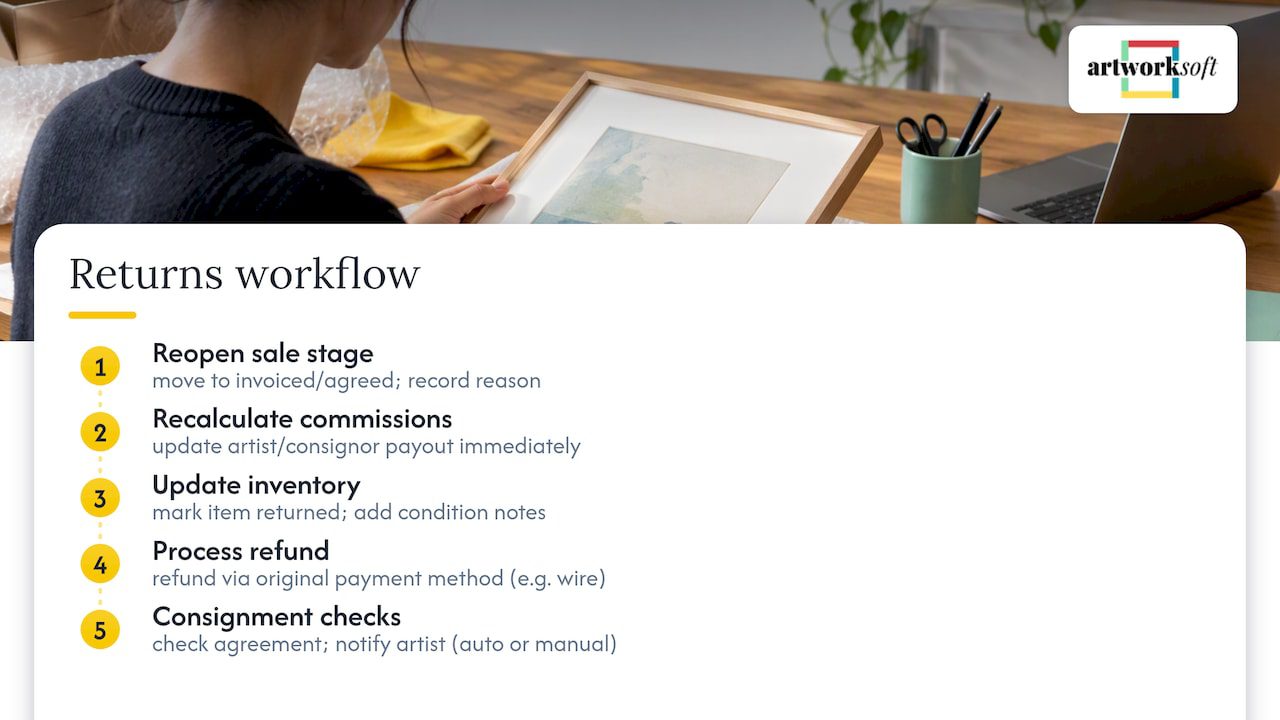
Refund timing should be documented against the original payment method whenever possible, which simplifies reconciliation. A gallery that processed a wire transfer should refund by wire, not by check, to avoid a confusing audit trail later.
Consignment sales add a layer of complexity: a returned consigned work needs the consignment agreement checked for who absorbs shipping costs and whether the artist is notified automatically or manually. Building that notification step into the workflow, rather than leaving it to memory, prevents the awkward situation where an artist finds out about a return weeks later from someone else.
Integration with payment processing systems
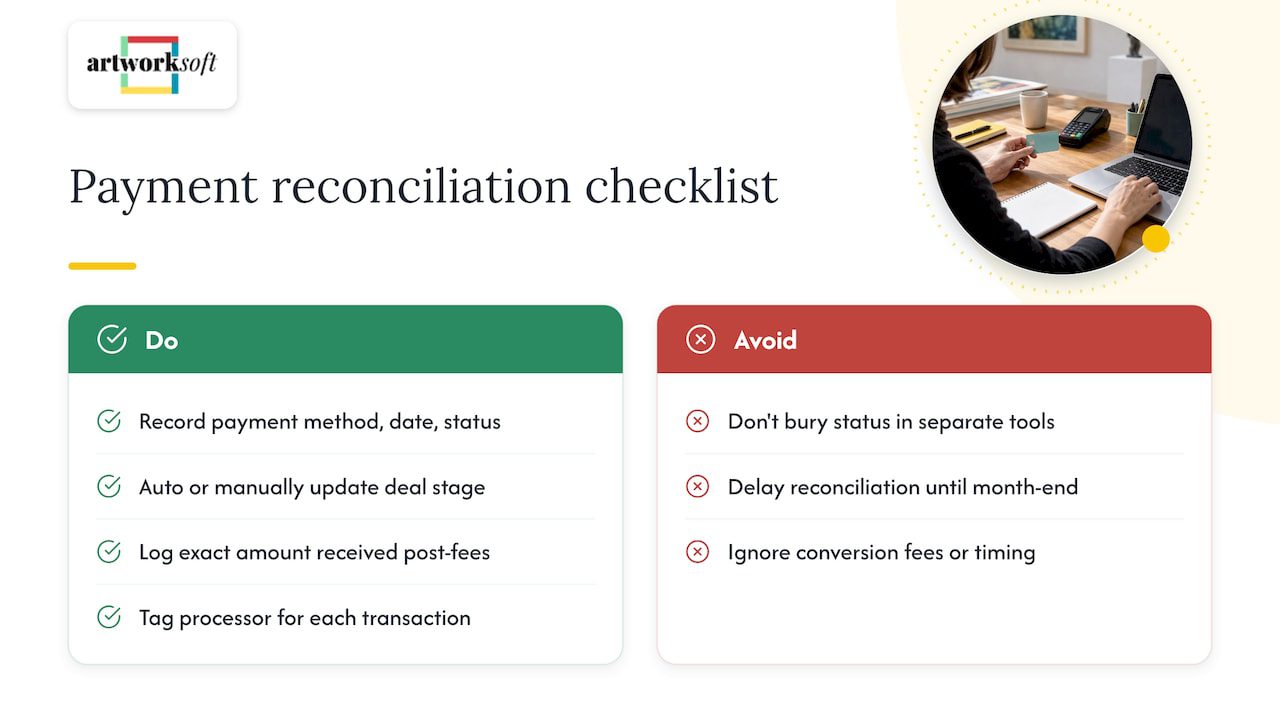
Payment reconciliation is one of the more error-prone parts of gallery bookkeeping because sales often arrive through multiple channels: wire transfer, credit card, check, and increasingly digital payment platforms. A sales tracking system that cannot connect to or at least log data from these channels forces staff to manually cross-reference bank statements against invoices every month.
The practical requirement is not a specific payment processor integration, but a system that records payment method, transaction date, and confirmation status on the sale record itself. When a payment is confirmed, that status should update the deal stage automatically or through a simple manual check, not get buried in a separate accounting tool that nobody checks until month end.
Galleries working with international collectors face an added wrinkle: currency conversion fees and timing differences between when a wire is sent and when it clears. Recording the exact amount received, not just the invoiced amount, prevents small discrepancies from accumulating unnoticed across dozens of transactions a year.
For galleries using multiple payment processors, such as one for in-person card transactions and another for online sales, the sales record should note which processor handled each transaction. This matters when reconciling processor fees against gross sale price, since those fees directly affect net commission calculations for artists and consignors.
Sales tax and VAT tracking and compliance
Sales tax obligations for galleries depend on where the gallery is registered and where the buyer takes possession of the work, and rules vary by jurisdiction. A gallery should treat tax status as a required field on every sale record, not an afterthought calculated at filing time.
The sale record needs to capture the tax rate applied, the jurisdiction it was calculated under, and whether the transaction qualifies for any exemption, such as a resale certificate from a dealer buying for inventory. Shipping a work across state or national lines can change the applicable tax treatment entirely, so the movement and fulfillment stage of the workflow should trigger a tax review rather than assuming the original rate still applies.
Galleries that sell internationally may also need to track value-added tax obligations tied to the buyer’s country, which is a separate calculation from domestic sales tax and should never be blended into the same field. Because tax rules are jurisdiction-specific and change periodically, galleries should confirm current requirements with a tax professional or the relevant government tax authority rather than relying on general guidance. The sales tracking system’s job is to preserve a clean, auditable record of what was charged and why, so that review is fast when it happens.
Multi-location gallery sales coordination and tracking
Galleries operating more than one location, or running a booth at an art fair alongside a permanent space, face a coordination problem: the same artwork cannot be sold twice, and staff at different locations need real-time visibility into what is reserved or already sold.
The canonical inventory ID described earlier becomes essential here. Every location needs to reference the same artwork record rather than maintaining separate local lists, since duplicate or outdated records are how a piece gets sold twice to two different collectors on the same day.
Staff handoffs also need clearer rules across locations. A sale that starts at an art fair booth and closes after the collector returns home requires the booth staff to log the lead immediately, not wait until they are back at the main gallery to enter it days later. Reporting should also roll up by location alongside the artist and exhibition breakdowns mentioned earlier, since a gallery with multiple spaces needs to know which location is driving sales, not just which artist or show.
The RIVIAN activation during Frieze Los Angeles illustrates the broader principle: tracking sales generated from a specific event location against the gallery’s main operation shows which context actually converts, information that is lost if event and gallery sales are not tagged separately in the same system.
What to prioritize at different gallery sizes
Small galleries should start with disciplined lead capture and a short pipeline, nothing more. The temptation is to adopt elaborate reporting before the basic habit of logging every lead exists, and that habit matters more than any dashboard. Strict data entry rules, enforced daily, beat a feature-rich system used inconsistently.
Mid-size operations with multiple staff and locations should add automation: reminders for stalled offers, role permissions, and KPI exports for monthly reviews. Onboarding or migration services are worth engaging once historical records are too tangled to clean up alone, typically when a gallery has years of spreadsheet history with no canonical IDs.
— Nealda
Artworksoft: where the checklist meets the software
Artworksoft addresses most of the checklist above in one system: artwork records link directly to sales and transactions, Certificates of Authenticity and invoices generate from the same data, and a structured valuation approach that helps price works without guesswork. Galleries building out an inventory system from scratch, or migrating years of spreadsheet history, can start with the Free Plan or move to the Provenance Plan, listed from $5 per month on the pricing page.

Galleries with more complex migration needs can engage the Onboarding & Collection Management Service to set up canonical IDs and import historical records properly from the start. Start with the free plan at Artworksoft to see how inventory and sales linkage works in practice.
FAQ
What is the best way to track sales activity?
The most reliable method links a sales pipeline, a collector database, and inventory records in one system rather than three separate tools. Logging every lead and sale consistently, with a regular weekly review, matters more than which specific software is used, as the GalleryFuel sales tracking lesson outlines.
How much should I sell a 16×20 painting?
Pricing depends on the artist’s sales history, medium, exhibition context, and comparable sales, not a fixed formula tied to canvas size. A structured valuation approach that weighs these factors can help remove guesswork from pricing decisions.
What is a sales gallery?
A sales gallery is an exhibition space that represents artists and sells their work directly to collectors, typically earning a commission on each sale. This differs from a nonprofit or museum space, which exhibits work without a primary sales function.
Is there a free sales tracker available?
Spreadsheet templates offer a basic free starting point, but they do not link inventory to sales or generate documentation automatically. Artworksoft offers a Free Plan that connects artwork records to transactions without the manual cross-referencing a spreadsheet requires.