


A collections series is a group of related artworks, typically produced or acquired as a set, that must be tracked both as a single unit and as individual objects. Managing one well means recording series membership, canonical object identifiers, provenance events, condition status, and valuation fields from the first day the work enters your inventory. Software built for this job should support standards like CRATS, CIDOC-CRM, PROV-O, and Linked Art, so the records you generate hold up as legal and insurance evidence, not just internal notes. Platforms like Artworksoft build these fields directly into the artwork record structure, which matters more than most galleries realize until a buyer or insurer asks for proof.
Key Takeaways
Managing a collections series successfully depends on separating canonical object identity from series membership while logging every provenance event as tamper-evident, auditable data.
| Point | Details |
|---|---|
| Separate IDs from series | Assign canonical object IDs first, then link them to a series ID to avoid renumbering headaches later. |
| Follow standards frameworks | Map fields to CRATS, CIDOC-CRM, and PROV-O so records stay portable across systems and institutions. |
| Log events, not just facts | Record provenance as timestamped events (sale, loan, restoration) rather than static notes. |
| Run a pilot migration | Import a small batch of records first and validate most against source documents before scaling. |
| Use standards-aligned software | Artworksoft structures series entities, provenance logs, and COA generation around these same practices. |
What Is the Difference Between a Collection and a Series?
Three levels of organization matter in art-management software, and confusing them causes most of the data problems galleries and collectors run into later.
A collection is an owner-defined or curator-defined grouping, such as everything a gallery holds on consignment or everything a collector has acquired since 2015. A series is artist-defined: a related body of work made with shared intent, materials, or a production run, like a photographer’s 12-print edition or a painter’s “Blue Period” canvases. An individual object is the single physical artwork, the atomic unit that carries its own condition history and sale record regardless of which collection or series it belongs to.
The practical modeling question is whether series membership lives as an attribute on the object record or as its own entity. For small editions, a “series ID” field on each object usually suffices. For larger bodies of work with shared documentation, dedicated exhibition history, or edition numbering (2/50, 3/50), a separate series entity with parent-child links to each object gives you cleaner reporting and avoids duplicated metadata across dozens of records.
- Collection: an owner’s or gallery’s curated grouping of works, which may span multiple artists and series.
- Series: an artist-made related set, often with edition numbers, a shared title, or a defined production window.
- Object: the individual physical work, with its own condition, location, and sale history.
Pro Tip: Assign canonical IDs at the object level first, then attach a series ID as a secondary field. If you build IDs around the series instead, splitting or renumbering an edition later becomes a data migration headache.
What Metadata Should You Record for a Series?
Every object in a series needs a baseline of fields that let software generate accurate paperwork and let a future buyer or appraiser verify what they’re looking at. The core checklist includes:
- Canonical object ID and series ID (kept distinct, linked, and never reused).
- Creator/artist name, creation date, and medium.
- Materials, dimensions, and edition or series number (e.g., 4/25).
- Condition status at intake and at each subsequent inspection.
- Current location and full ownership history.
- Insurance and valuation entries, with date and basis for each figure.
- Rights, licensing terms, and attached documentation (Certificates of Authenticity, invoices, condition reports).
These fields aren’t arbitrary. The ITU-T F.740.12 recommendation defines the CRATS framework around three components: a Universally Recognized Digital Identity (URDI) for stable identifiers, Multidimensional Description (MD) for the descriptive fields above, and a Full Lifecycle Record (FLR) for event history. Mapping your database fields to URDI and MD categories now means your records stay portable if you ever migrate systems or share data with a museum partner. For interoperability beyond CRATS, CIDOC-CRM and PROV-O ontologies let you export enriched records that link to controlled vocabularies like the Getty Art & Architecture Thesaurus, which matters when a research institution or auction house needs to ingest your data without manual rework. Export in CSV for internal use, and RDF or JSON-LD when interoperability with external vocabularies is the goal.
How Do You Track Provenance Across a Series?
Provenance is the documented chain of custody and events for an object, and for a series, you’re tracking both the individual object’s history and events that touch the whole set at once.

A typical single-object timeline runs: creation, initial sale to a collector, a loan to a regional museum three years later, a conservation treatment after that loan, a valuation update tied to a gallery show, and eventually a transfer to a new owner. Linked Art’s provenance model recommends bundling related activities, like a transfer plus its associated payment, into a single provenance event rather than scattering them across disconnected log entries. That keeps the timeline readable instead of fragmented.
Series-level events work differently. When all 12 prints in an edition travel together for a retrospective, that’s one exhibition event linked to the series entity, which then cascades a reference down to each object record rather than requiring 12 separate manual entries.
Full Lifecycle Records depend on tamper-evident, timestamped logging. Once an event is written, it should not be silently editable. That single design choice is what turns a spreadsheet note into evidence an insurer or court will actually accept.
- Creation and initial documentation.
- Sale, acquisition, or transfer of custody.
- Loan and exhibition events, individual or series-wide.
- Restoration or conservation treatment.
- Valuation updates, with source and method noted.
What Features Should Collection-Management Software Include?
Standards and metadata only matter if the software translates them into workflows your team will actually use. A platform built for series management needs specific structural support, not just a generic inventory list.
Look for these capabilities before you commit to a system:
- Native series entities with parent-child links to individual objects.
- Bulk import and export, so a large edition doesn’t require manual entry of each individual item.
- Unique, non-reusable identifiers assigned at intake.
- Attachment management for COAs, invoices, and provenance documents tied to the right record.
- Condition reporting templates that can be applied in batches across a series.
- Structured valuation fields recording amount, date, method, and source.
- Movement and location history with timestamps.
- Role-based permissions and audit logs.
- One-click PDF generation for Certificates of Authenticity, invoices, and condition reports.
- Integrations with digital asset management (DAM), accounting, and CRM tools.
Once the software is in place, the workflow to onboard a new series generally follows this order:
- Import the full series as a batch, mapping source fields to your target schema.
- Assign canonical IDs at the object level, then link them to a shared series ID.
- Run a provenance audit on each object, flagging gaps for follow-up.
- Enter a valuation baseline for every object, dated and sourced.
- Configure permissions and decide what’s shared publicly versus kept internal.
Pro Tip: If your series shares a common condition template or a single COA layout, configure it once at the series level. A properly built system then auto-populates each object’s certificate with shared fields (artist statement, edition size, materials) while pulling object-specific data like dimensions and edition number individually, cutting a 30-print documentation job down from hours to minutes.
How Do You Migrate an Existing Collection Series in 60 to 90 Days?
Moving from spreadsheets or paper files into structured software doesn’t need to happen overnight, but it does need a sequence.
- Audit existing records to see what’s already documented and what’s missing.
- Choose a canonical ID scheme before importing a single record.
- Map your current fields (however messy) to the target schema’s categories.
- Import a pilot batch of 10 to 50 records to test the mapping before scaling up.
- Verify provenance entries and attachments on the pilot batch.
- Configure user roles and sharing permissions.
- Run a valuation baseline across the pilot set.
- Schedule automated backups and test that exports actually work.
- Train staff on the finished workflow, using the pilot batch as the training set.
- If provenance is incomplete, mark the gap explicitly rather than leaving the field blank or guessing.
- If documentation is missing, note what’s absent and flag it for follow-up instead of skipping the record.
- If you find conflicting IDs from old systems, resolve them during the pilot phase, never after full migration.
What Governance and Ethical Checks Apply to Series Records?
Series management carries legal weight that goes beyond bookkeeping, especially for works with gaps in ownership history or ambiguous origin.
Watch for these red flags on any object entering your system:
- Gaps or unexplained jumps in the ownership chain.
- Undocumented provenance spanning 1933 to 1945, which requires dedicated screening.
- Export controls or cultural property status attached to the work.
- Donor restrictions or any sign of contested ownership.
For each claim in a provenance record, operational provenance tooling recommends assigning a certainty level and attaching supporting documentation, so downstream users like insurers or buyers can judge how solid the claim actually is. If a red flag surfaces, escalate to legal counsel or a specialized provenance researcher rather than resolving it internally.
Pro Tip: Your software should document that a check was performed, not render a legal verdict. Log the date, the reviewer, and the outcome in the audit trail regardless of what you find.
Where Do Most Series-Tracking Systems Break Down at Scale?
The problems that show up with 20 objects don’t show up the same way at 2,000. Duplicate records creep in when two staff members import the same acquisition independently. Vocabulary drifts when one cataloger writes “oil on canvas” and another writes “oil/canvas.” Permissions grow inconsistent as former employees retain edit access nobody remembered to revoke.
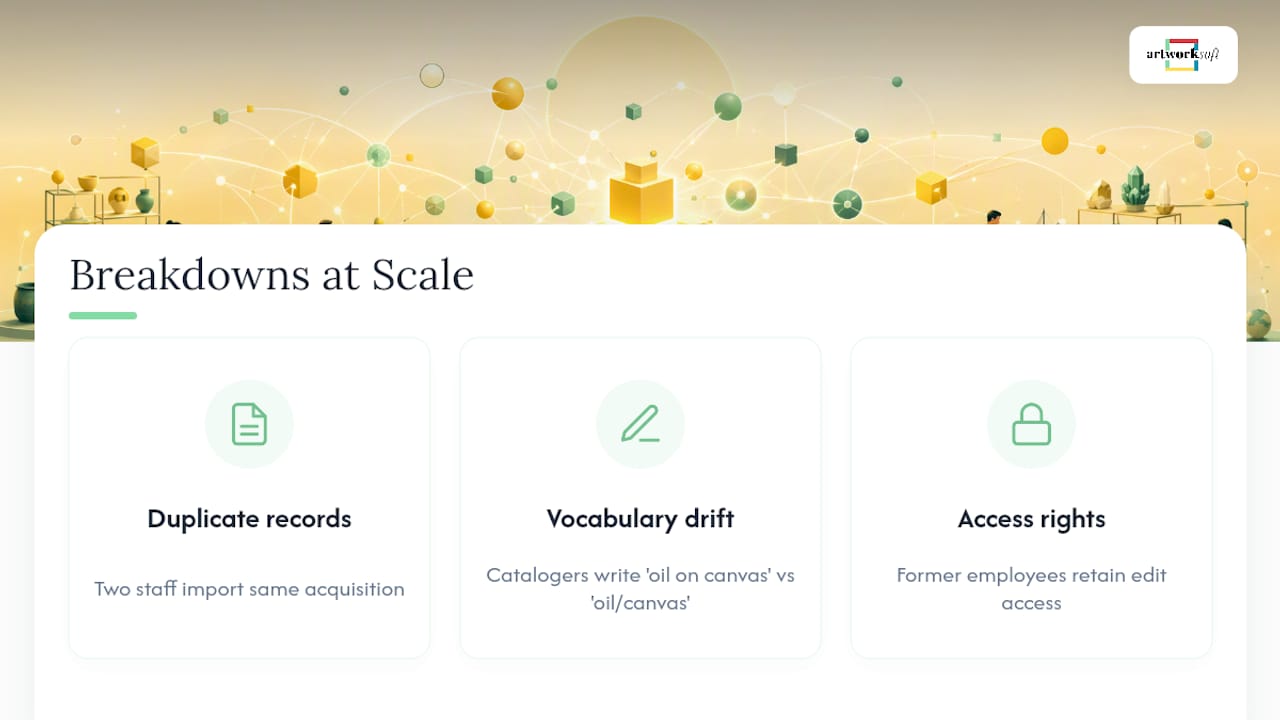
The fix is procedural, not technical: enforce a single canonical ID policy with no exceptions, run provenance audits on a fixed calendar rather than reactively, and delegate series-level custodianship to named individuals accountable for their own subset of records.
Start Managing Your Series with Purpose-Built Software
Everything covered above, series entities, provenance logs, structured valuation fields, and one-click Certificate of Authenticity generation, is what Artworksoft was built to handle from the ground up, rather than bolted on as an afterthought to a generic inventory spreadsheet.

Where a generic database forces you to build series tracking yourself, Artworksoft gives you object records, series links, and audit-ready lifecycle logs already structured to standards-aligned practice. You can turn a loosely tracked collection into a well-documented asset without hiring a database consultant first, and the artwork profile fields map directly to the metadata checklist above.
If you’re managing a series with incomplete provenance or scattered documentation, the practical next step is running a pilot batch through Artworksoft the same way this guide outlines: 10 to 50 records, verified attachments, a valuation baseline. Start a free trial and import your first series to see how the fields hold up against your actual records.
Frequently Asked Questions
What’s the difference between a collection series and a single collection?
A collection is an owner’s or gallery’s curated grouping, which can span multiple artists and series. A series is artist-defined, a related body of work sharing intent, materials, or an edition run, and it typically sits as a subset within one or more collections.
Do I need separate software for tracking a series versus a general collection?
No. A platform built with native series entities, like Artworksoft, handles both levels in one system, linking series-wide events to individual object records automatically instead of requiring separate tools.
How many provenance events should I log per object?
Log every event that changes custody, condition, or valuation, typically creation, acquisition, loans, restorations, and valuation updates. There’s no fixed count; the goal is a complete, gap-free timeline.
What happens if part of a series has incomplete provenance?
Flag the gap explicitly in the record rather than leaving it blank, assign a certainty level to what you do know, and escalate contested or high-risk gaps to legal counsel or a provenance specialist before selling or lending the work.
Can I migrate an existing spreadsheet-based series into new software?
Yes. Start with a pilot batch of 10 to 50 records, map your existing fields to the target schema, and verify provenance and attachments before importing the full series.
Sources
For readers configuring software fields or building an import template, these primary sources go deeper than any single guide can:











