


Every usable art collection database rests on nine field groups: identifiers, descriptive data, physical attributes, provenance, current location, rights and copyright status, image metadata, exhibition and bibliography records, and administrative fields for insurance and condition. These map directly to established standards like CDWA/CCO, VRA Core, and IPTC. A platform like Artworksoft structures a collection around this framework, so you never have to build the schema from scratch.
TL;DR:
- Accurate, structured data for creator, date, and medium is crucial, and guessing or leaving fields blank can harm searchability and trustworthiness.
- Linking each artist, location, or concept to a controlled authority file ensures consistent search results and prevents fractured data across multiple records.
- Embedding metadata within images using IPTC or VRA standards keeps image files connected to their object records and simplifies file management.
- Prioritize fields protecting value and enabling discovery—such as accession number, dimensions, and provenance—especially when time or resources are limited.
- Using a purpose-built platform like Artworksoft aligns with standards like CDWA and VRA, simplifying migration, management, and export of complex collection data.
Table of Contents
- The Complete Art Collection Database Fields Checklist
- Getting Titles, Creators, Dates, and Medium Right
- Why Authority Files Make Your Database Interoperable
- Making Images First-Class Records, Not Attachments
- Provenance, Condition, and the Administrative Fields Insurers Expect
- A Sample Small-Collection Record and Migration Notes
- What Registrars Prioritize When Time Runs Short
- Turn This Checklist Into a Working Database
- Standards Worth Bookmarking
- Sources
- FAQ
The Complete Art Collection Database Fields Checklist
Building an art inventory from a blank spreadsheet almost always produces gaps: no way to link an image to its object record, no place for an “unknown” attribution, no separation between what the public sees and what the database indexes for search. The Getty’s CDWA framework lists around 540 possible elements, but only a small core subset is genuinely required to identify a work. The core is what most collectors actually need.
Here is that core, grouped by function:
- Accession/object number: a permanent, unique identifier assigned at acquisition. Never reuse a retired number.
- Object title: the display title as commonly known, plus an indexed variant for search (example: “Untitled (Blue Study)” displayed; “Blue Study” indexed).
- Creator: name, role (artist, workshop, attributed to), and a link to an authority ID.
- Date: a display date (“circa 1978”) paired with structured start/end year fields for sorting.
- Medium/technique: a controlled term (oil on canvas) rather than free text whenever possible.
- Dimensions: height by width by depth, in centimeters or inches, with a note on whether framed or unframed.
- Current location: building, room, or storage unit, tracked as a distinct field from the accession record itself.
- Provenance summary: a chronological chain of ownership with dates.
- Rights status: copyright holder, license terms, or public domain designation.
- Primary image link: a reference ID connecting the object record to its digital image file.
Any field lacking confirmed data should read “unknown” or “research pending” rather than sit blank. A blank field looks like an oversight during an audit; a labeled unknown looks like a deliberate cataloging decision.
Getting Titles, Creators, Dates, and Medium Right
Descriptive fields carry the most search traffic in any collection database, and small inconsistencies here compound fast across a few hundred records. Museum registrar manuals, including the Blanton Museum of Art’s cataloguing standards, treat title, artist, ISO date elements, and medium as required fields, not optional ones.
A few formatting rules keep this data usable:
- Store a display title for public-facing labels and a separate indexed title stripped of articles and punctuation for search matching.
- Record creator attribution as a structured triplet: name, role, and confidence level (“attributed to,” “workshop of,” “circle of”).
- Break dates into three parts: earliest possible year, latest possible year, and a human-readable display string. This lets you sort a collection by date range even when the display text reads “late 19th century.”
- Use a controlled vocabulary for medium and technique (oil on canvas, gelatin silver print) and elementize dimensions into separate height, width, and depth fields rather than one free-text string.
Pro Tip: Never guess a specific date, medium, or attribution to fill a blank field. A collection with fifty honest “circa unknown” entries is more trustworthy, and more searchable, than one with fifty confident guesses that turn out wrong during an appraisal.
Why Authority Files Make Your Database Interoperable
An artist name typed differently across ten records (“J. Pollock,” “Jackson Pollock,” “Pollock, J.”) fractures your search results into ten disconnected buckets. Authority files solve this by linking every mention of a person, place, or concept to one canonical record.
Getty’s own cataloging guidance recommends pulling from its controlled vocabularies, specifically ULAN for people and corporate bodies, TGN for places, AAT for concepts and materials, and CONA for works of art themselves. For each authority link, store four things:
- The authority ID (the ULAN or AAT record number).
- The preferred term as that authority defines it.
- The source URL for future reconciliation.
- Any local notes explaining why you chose that specific authority match over a similar one.
Small collectors do not need to build a local authority system from scratch. Linking directly to Getty’s vocabularies whenever a match exists, and falling back to a locally maintained note only when no authority record fits, keeps the workload manageable.
Making Images First-Class Records, Not Attachments
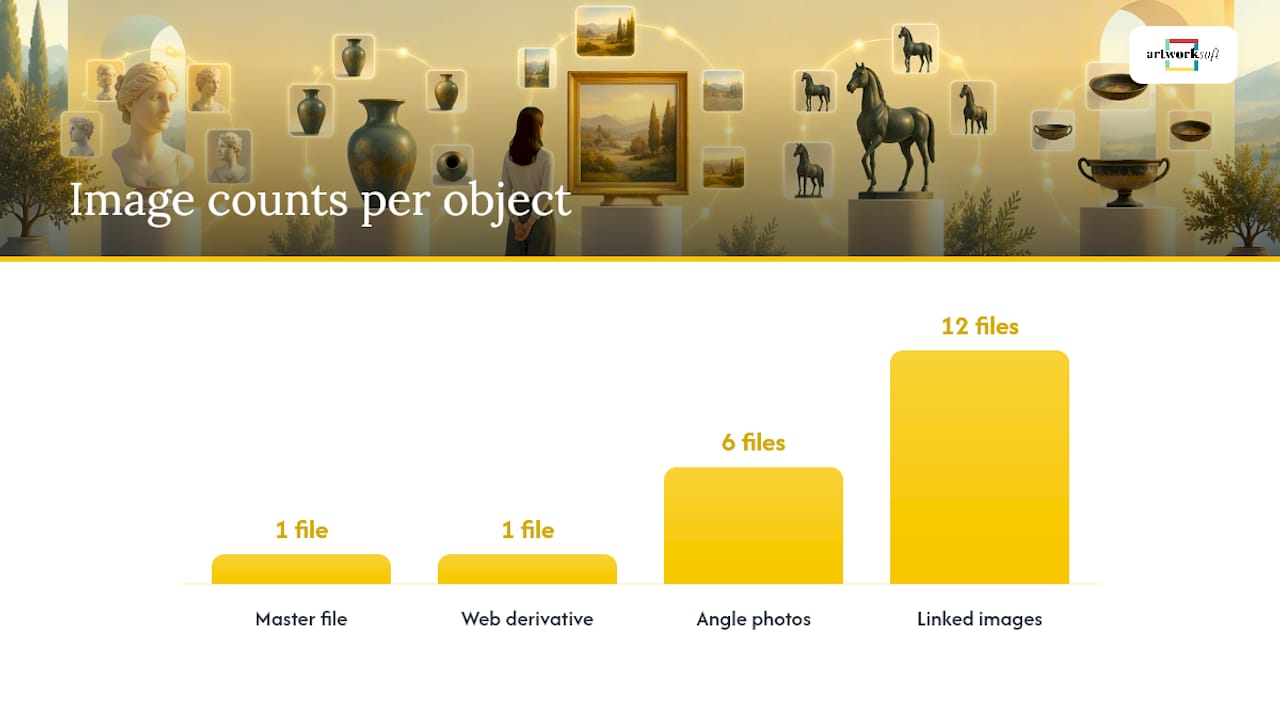
An image file with no embedded metadata becomes an orphan the moment it’s copied out of your database. The IPTC Photo Metadata standard addresses this with an “Artwork or Object in the Image” extension built specifically to carry creator, title, and rights data inside the file itself.
At minimum, embed these IPTC/XMP fields in every master image: object name, creator, copyright notice, and source inventory number. VRA Core 4.0 takes this further by treating the work and the image as separate record types, connected through a relation attribute, so one painting can have twelve linked images without any of them being mistaken for the object itself.
- Keep an unedited archival master file separate from any web-resized derivative.
- Use a consistent filename convention tying the file back to the accession number (2026.014.03_front.tif).
Pro Tip: If you photograph a piece from multiple angles, embed the same source inventory number in every file. That single field is what keeps six images correctly grouped under one object record after a file transfer.
Provenance, Condition, and the Administrative Fields Insurers Expect
Provenance is not a single text block. It’s a structured chain of dated ownership entries, each linked to a named person or institution, and gaps in that chain should be marked as such rather than smoothed over.
Beyond provenance, four administrative field groups keep a collection insurable and loan-ready; detailed guidance on this is available in art collection inventory for insurance and estates.
- Acquisition data: method (purchase, gift, bequest), date, and source, tied to the permanent accession number.
- Condition record: a baseline assessment at intake, followed by dated conservation entries whenever treatment occurs.
- Insurance and appraisal fields: current insured value, appraisal date, and appraiser reference.
- Loan history: borrower institution, loan dates, and any exhibition restrictions tied to the piece.
Registrar practice generally keeps two separate identifier systems here: a temporary import or intake number assigned the moment an object arrives, and the permanent accession number assigned only after acquisition is finalized. Conflating the two creates confusion the first time an object is deaccessioned or returned unacquired.
A Sample Small-Collection Record and Migration Notes
A workable starter record does not need forty fields. It needs the right nine to twelve, correctly elementized. Here is a sample for a single painting entering a small private collection:
- Accession number: 2026.003.01
- Title (display): “Harbor at Dusk”
- Title (indexed): Harbor at Dusk
- Creator: Maria Kovalenko (ULAN ID linked)
- Date: 2019 (display: “2019”)
- Medium: oil on linen
- Dimensions: 76 x 102 cm, unframed
- Current location: Storage Room B, Rack 3
- Provenance: purchased directly from artist, June 2019
- Rights status: copyright held by artist
- Primary image link: file reference to archival master
- Condition baseline: stable, no visible damage at intake
If you’re migrating from spreadsheets into a structured system, preserve the original accession numbers exactly as written, even if the old numbering scheme looks inconsistent by current standards. Renumbering retroactively breaks the paper trail auditors and insurers rely on. Keep display and indexing versions of title and creator fields separate during export, and choose an export format (CSV with UTF-8 encoding, or XML if your authority links are extensive) that preserves ULAN and AAT ID strings rather than flattening them into plain text. The object profile structure of a leading art management platform follows this same logic, keeping indexed and display fields distinct while linking provenance, images, and location history to one accession record.
What Registrars Prioritize When Time Runs Short
Given limited hours, prioritize the fields that protect value and enable discovery first: accession number, one clear photograph, dimensions, and a one-line provenance summary. These four cover insurance claims and loan requests immediately.
Record everything else as “unknown” rather than guessing, and populate searchable index fields (artist, medium, title) before worrying about exhibition history or full bibliography. Precision can wait; a searchable baseline cannot.
— Nealda
Turn This Checklist Into a Working Database
Building the field structure above by hand in a spreadsheet works for a dozen pieces. It gets unmanageable past a hundred, especially once images, provenance chains, and location history all need to stay linked to one record. Artworksoft is built around exactly the field groups covered here: object profiles hold identifiers and descriptive data, a dedicated module tracks provenance and ownership history, image management keeps files tied to the correct accession number, and export tools generate reports without breaking authority IDs.

For a collection still living in folders and spreadsheets, the Free Plan gives you a working structure without upfront cost, while the Provenance Plan starts at $5 per month for collectors who need full provenance and rights tracking. If you’d rather have a professional set up the fields for you, Artworksoft’s onboarding and collection management service handles the migration directly. Start by creating your first object profile and see how the checklist above translates into an actual working record.
Standards Worth Bookmarking
- Categories for the Description of Works of Art (CDWA): the Getty’s core cataloging vocabulary and field definitions.
- VRA Core 4.0: the standard for linking works to their image records.
- IPTC Photo Metadata specification: embedded image field standards, including the artwork extension.
- Blanton Museum of Art cataloguing requirements: a real-world example of registrar field requirements in practice.
- Guide to Searching the Collections (MFA Boston): shows which fields drive public discoverability in a live museum search interface.
Sources
- Introduction | Categories for the Description of Works of Art
- VRA Core 4.0 introduction
- IPTC Photo Metadata specification
- Cataloguing Requirements – Blanton Museum of Art
FAQ
What is a good database for art collections?
A good database separates identifiers, descriptive fields, provenance, images, and rights into distinct linked sections rather than one flat table. Purpose-built platforms like Artworksoft structure these fields around standards such as CDWA/CCO and VRA Core, so collectors don’t have to design the schema themselves.
What is the 70/30 rule in art?
There’s no single, universally recognized “70/30 rule” tied to art cataloging or valuation standards. If you’ve seen this term used in a specific pricing or investment context, treat it as an informal guideline rather than an established field or standard.
What are some good databases for art research?
Institutional catalogs built on CDWA and CCO, such as those referenced by the Getty’s cataloging guidance, are strong models for structured art research. Museum search interfaces, like the MFA Boston’s collection guide, also show which fields (artist, medium, date range) researchers rely on most.
What are the seven fields of art?
This phrase is sometimes confused with the “elements of art” (line, shape, color, value, space, texture, form), which describe visual composition, not database fields. For cataloging purposes, the field groups that matter are identifiers, descriptive data, provenance, location, rights, images, and administrative records.
Does Artworksoft support all these field types?
Artworksoft’s object profiles cover identifiers, descriptive metadata, provenance, location tracking, and image linkage in one connected record. Pricing starts with a Free Plan, with the Provenance Plan available from $5 per month for full provenance and rights tracking.











