


Update art inventory regularly by centralizing every record in one system, adopting a fixed cadence such as cycle counting every 30 to 90 days, and automating the routine with software like Artworksoft. That single habit, repeated on a schedule instead of when memory prompts it, is what separates a collection with defensible values from one with guesses.
Three-step plan: 1) Gather every artwork’s documents and photos into one master list this week. 2) Set a recurring calendar block for regular spot checks and a full audit once a year. 3) Move records into a system built for this, so updates take minutes instead of afternoons.
- Pull invoices, provenance files, and prior appraisals into one folder today.
- Photograph any piece missing a current image before month’s end.
- Pick your audit dates for the year now, not later.
Key Takeaways
Updating art inventory regularly requires centralized records, a fixed cycle-counting cadence, documented valuation methods, and software that automates the routine.
| Point | Details |
|---|---|
| Centralize records first | Gather invoices, COAs, and photos into one master system before setting any update schedule. |
| Set a tiered cadence | Check weekly for activity, monthly for spot checks, and annually for a full physical audit. |
| Investigate before adjusting | Set a variance threshold of 1% to 5% and trace the cause before correcting any record. |
| Document every valuation | Log the date, method, source, and amount so every number is defensible later. |
| Automate with Artworksoft | Artworksoft ties photo uploads, movement logs, and valuation history to each artwork’s profile automatically. |
How Do You Centralize and Catalog an Existing Art Collection?
Before you can update anything, you need one place where every record lives. Start by gathering invoices, provenance documents, Certificates of Authenticity, condition reports, and current location for each piece. Scattered spreadsheets and folders are the reason most inventories drift out of date.
- Collect purchase invoices, COAs, and appraisal letters into a single digital folder per artwork.
- Photograph each piece from the front, a raking-light angle to show surface texture, and a close-up of any signature or edition mark.
- Save images at high resolution and name files consistently, such as
ArtistLastName_Title_Year_Front.jpg. - Assign a short ID code to each piece, like
SM-2019-014for the fourteenth Sarah Miller work cataloged in 2019.
Pro Tip: Build your ID scheme before you photograph anything. Retrofitting IDs onto 200 existing entries takes far longer than assigning them as you go.
What Is the Right Update Cadence for an Art Inventory?
Frequency should scale with collection size and risk, the same principle that governs inventory checks in any asset-heavy business. A ten-piece personal collection doesn’t need the same rigor as a gallery moving forty works a month.
- Weekly: Log any new acquisitions, sales, or condition notes as they happen.
- Monthly: Spot-check five to ten pieces against their records, prioritizing high-value or frequently moved works.
- Quarterly: Reconcile sales records, update location data, and confirm insurance coverage matches current values.
- Annually: Run a full physical count and refresh valuations on every piece.
Certain events should trigger an update the moment they happen, not at the next scheduled check:
- A loan, exhibition placement, or return
- Any condition incident, however minor
- A completed sale, acquisition, or ownership transfer
High-value pieces warrant tighter monitoring than low-value inventory. A gallery with a few very valuable works can justify more frequent checks on those pieces even if the rest of the collection is reviewed less frequently.
What Fields and Documents Belong in Every Inventory Entry?
Every record needs a consistent set of fields so anyone (an insurer, an appraiser, a buyer) can understand the piece without asking follow-up questions. Missing provenance or a vague condition note is what stalls a sale or delays a claim.
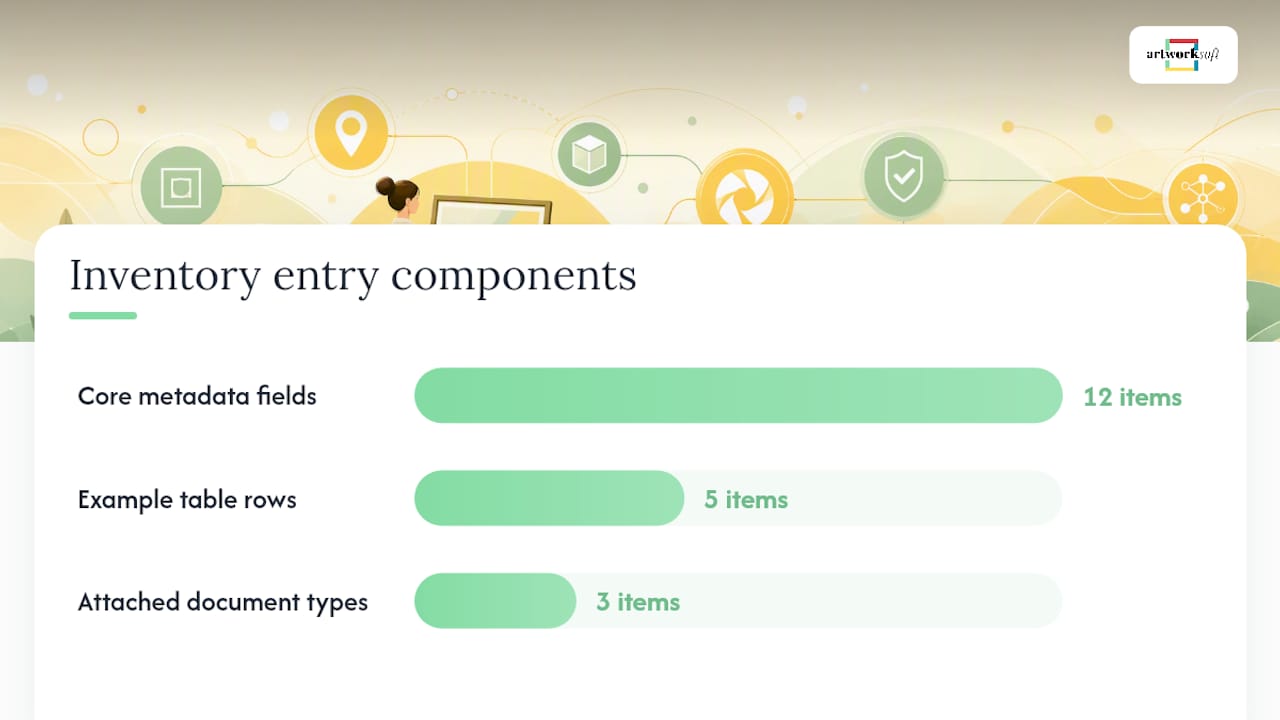
Core fields include title, artist, creation date, medium, dimensions, edition or serial number, provenance chain, current owner, location, condition notes, linked images, and valuation history. Each entry should also carry attached documentation: a Certificate of Authenticity, the original purchase invoice, and any condition reports generated over the piece’s ownership history. Store these as versioned files (COA_v1, Invoice_2021) rather than overwriting the original whenever something changes.
| Field | Example Entry |
|---|---|
| ID | SM-2019-014 |
| Title / Artist | “Coastal Drift” / Sarah Miller |
| Medium / Dimensions | Oil on canvas, medium size |
| Provenance | Purchased from artist studio, 2019 |
| Current Value | $8,500 (appraised March 2025) |
A structured template like this, populated once, turns future updates into a five-minute edit instead of a research project. Artworksoft’s artwork profile management tools build this structure in automatically, and a downloadable inventory template can get you started even before you commit to a platform.
How Should You Record and Update Valuations?
A valuation without a documented method is just an opinion. Every entry should capture the date of the estimate, the method used (comparable sales, a recent transaction, or a formal appraiser report), and the specific source behind the number. That auditability matters as much as the figure itself, especially if the piece is ever insured, sold, or offered as collateral.
Reproducible valuation approach: Date the entry, name the method, cite the source, log the amount, and add a note explaining any unusual jump or drop.
Update valuations on two tracks: a scheduled review (annually for most pieces, quarterly for high-value or frequently traded ones) and an event-driven review triggered by a consignment offer, a completed sale, or a documented shift in the market for that artist. Artworksoft’s structured valuation formula removes the guesswork from this process by applying a consistent method across the whole collection rather than an ad hoc number pulled from memory.
- Date: March 2025
- Method: Comparable recent sales
- Source: Two auction records for similar-scale works
- Amount: $8,500
- Note: Up from $6,200 in 2022 after artist’s gallery representation increased.
How Do You Track Movements, Loans, and Exhibitions?
A piece that leaves your possession without a documented trail is a piece you may never account for cleanly again. Every movement, whether a loan, an exhibition placement, or simple storage transfer, needs a log entry.
- From/to location, date, and the handler responsible for the move
- Purpose (loan, exhibit, storage transfer)
- Condition notes recorded before and after
- Supporting documents: waybills, loan agreements, insurance certificates
For loans specifically, confirm these before the piece leaves the building:
- Who signs the loan agreement on both ends
- Insurance coverage during transit and display
- Shipping method and expected return date
- A condition report completed at departure and again at return
Artworksoft’s movement and logistics tracking keeps this chain of custody in one searchable log instead of scattered email threads, which is where most loan disputes actually originate.
How Do You Automate Backups and Integrate Inventory Systems?
Manual re-entry is where most inventory errors start. Barcode or QR tagging lets you scan a piece rather than retype its ID, cutting transcription mistakes at the exact moment errors usually creep in during inventory counts.
- Connect your inventory system to sales channels and accounting software so a completed sale updates ownership automatically.
- Set calendar-based reminders for scheduled spot checks and the annual audit.
- Store backups offsite in the cloud with file versioning, not just on a single local drive.
- Restrict who can edit valuation and ownership fields with role-based access.
Pro Tip: A $30 QR label kit and a smartphone camera can replace an entire afternoon of manual data entry for a 50-piece collection.
For collectors managing valuable pieces outside a gallery setting, a secure storage strategy paired with digital tracking closes the gap between where a piece physically sits and what your records say.
What Do Monthly, Quarterly, and Annual Workflows Actually Look Like?
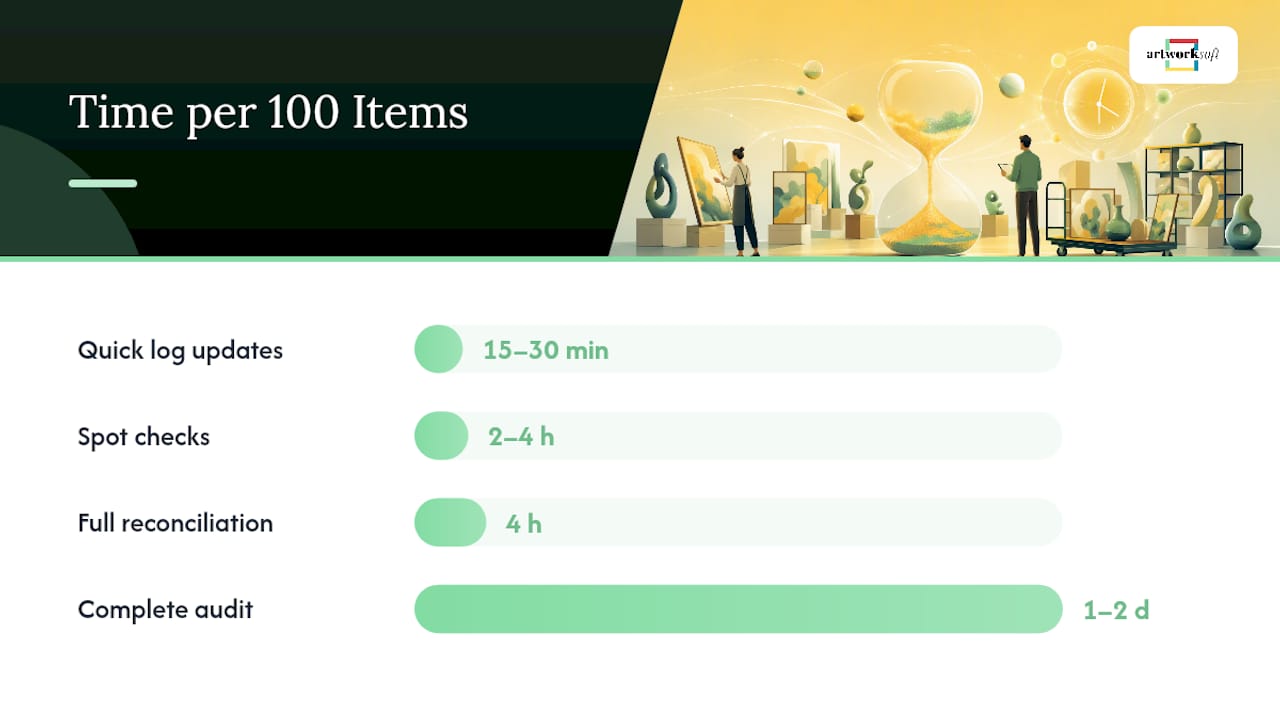
Time budgets depend on collection size, but a useful benchmark is measuring effort per 100 pieces.
- Weekly (15 to 30 minutes): Log new activity, no matter how small.
- Monthly (2 to 4 hours per 100 items): Spot-check a sample, update location and condition notes.
- Quarterly (half a day per 100 items): Reconcile sales, confirm insurance values, review high-value pieces individually.
- Annually (1 to 2 days per 100 items): Full physical count, complete valuation refresh, documentation audit.
| Task | Frequency | Estimated Time (per 100 items) |
|---|---|---|
| Quick log updates | Weekly | 15 to 30 minutes |
| Spot checks | Monthly | 2 to 4 hours |
| Full reconciliation | Quarterly | 4 hours |
| Complete audit | Annually | 1 to 2 days |
A solo artist can usually absorb weekly and monthly tasks alone. Galleries and larger collectors often bring in freelance help or an intern for the annual full count, since combining periodic counts with ongoing cycle checks is the standard that keeps larger operations accurate without shutting down for weeks.
How Do You Audit Inventory and Reconcile Discrepancies?
An audit isn’t just counting pieces. It’s confirming that what you have on the wall or in storage matches what your records claim. Run cycle counts monthly on a rotating sample, and reserve a full physical count for once a year.
- Compare physical location against the system record for every sampled piece.
- Calculate variance as (recorded count minus physical count) divided by recorded count.
- Set an investigation threshold, commonly 1% to 5%, above which you trace the discrepancy before adjusting anything.
- Document the cause, the date, and who performed the count.
| Audit Type | Frequency | Scope |
|---|---|---|
| Spot check | Monthly | 5 pieces |
| Cycle count | Quarterly | Rotating subset of collection |
| Full audit | Annually | 100% of collection |
Only adjust the system record after you’ve traced receiving logs and movement history back to the source of the gap. Correcting a number before finding the cause just hides the next mistake.
When Should You Move From Spreadsheets to Dedicated Software?
Spreadsheets work for a handful of pieces, but they carry real risk once a collection grows: broken formulas, no version history, and no way to enforce who can edit a valuation field. If your workaround is a shared Google Sheet with a dozen collaborators, you’re one accidental overwrite away from a bad record.
Dedicated software solves the specific problems that manual tracking can’t: live records that update automatically, mobile image upload from wherever the piece is sitting, barcode or QR scanning at the point of count, a built-in movement log, valuation history with sourced entries, and an audit trail showing who changed what and when.
Getting started with Artworksoft follows a short setup path:
- Import your existing master list, even if it started as a spreadsheet.
- Assign your ID scheme so every piece is tagged consistently going forward.
- Enable integrations with your sales or accounting tools.
- Schedule your cycle counts directly in the platform’s calendar.
- Assign role-based access for team members or collaborators.
- Photo upload from mobile ties directly to each artwork’s profile.
- Movement logs replace email chains for loans and exhibitions.
- Valuation history keeps every past estimate on record, not just the latest one.
If you’re managing under 20 pieces, a free plan is enough to test the workflow before committing. Larger collections or active galleries typically benefit from scheduling a full onboarding session to migrate records properly.
A Collection Manager’s Take on Staying Current
Keeping records accurate came down to rhythm, not effort. A quick Monday scan of anything that moved that week, a real spot check once a month, and one full audit each January caught almost every discrepancy before it became a problem. What made it sustainable wasn’t willpower. It was having a template that didn’t require rebuilding the wheel every time, and automation that logged half the routine work on its own.
How Artworksoft Keeps Your Inventory Update Routine Running
Artworksoft turns the routine this article describes into something you don’t have to hold together manually with spreadsheets and reminders. Where a DIY system depends on you remembering to log a movement or recalculating a valuation from scratch, Artworksoft ties photo uploads, movement logs, valuation history, and an audit trail to each artwork’s profile automatically.

That means a monthly spot check pulls up exactly what changed since your last review instead of forcing you to compare two spreadsheet versions by eye. Loan agreements and condition reports attach directly to the piece’s record, so chain of custody never depends on a buried email thread.
Pro Tip: Use the free plan to run one full cycle count before deciding whether to upgrade. It’s the fastest way to see whether the workflow fits your collection size.
Start with the free art inventory system and import your existing records this week, or explore the full art inventory platform to see how the audit trail and valuation history work together before you commit.
Frequently Asked Questions
How often should I update art inventory regularly?
Log new activity weekly, spot-check a sample monthly, reconcile quarterly, and run a full audit annually. High-value pieces often warrant more frequent checks than lower-value inventory.
What triggers an immediate inventory update outside the regular schedule?
A loan, exhibition placement, condition incident, sale, acquisition, or ownership transfer should update the record the moment it happens, not at the next scheduled check.
What’s a reasonable variance threshold during an audit?
Most collections and businesses investigate variances between 1% and 5% before adjusting any system record, tracing the cause first.
Do I need software, or can spreadsheets work for a small collection?
Spreadsheets can work for a handful of pieces but carry version-control and access risks as a collection grows. A dedicated system like Artworksoft removes that risk once you’re managing more than a few dozen works.
Sources
- Inventory Audit Process: Step-by-Step Guide for Operations Managers
- Inventory Check Process: Tools and Best Practices • Finance Quack
- Physical Inventory Count: Step-by-Step Process Guide
- The Importance of Regular Inventory Checks for Your Business
Back up every template offsite and restrict editing access to those responsible for your records. That single habit prevents most of the data loss that undoes months of careful tracking.











