

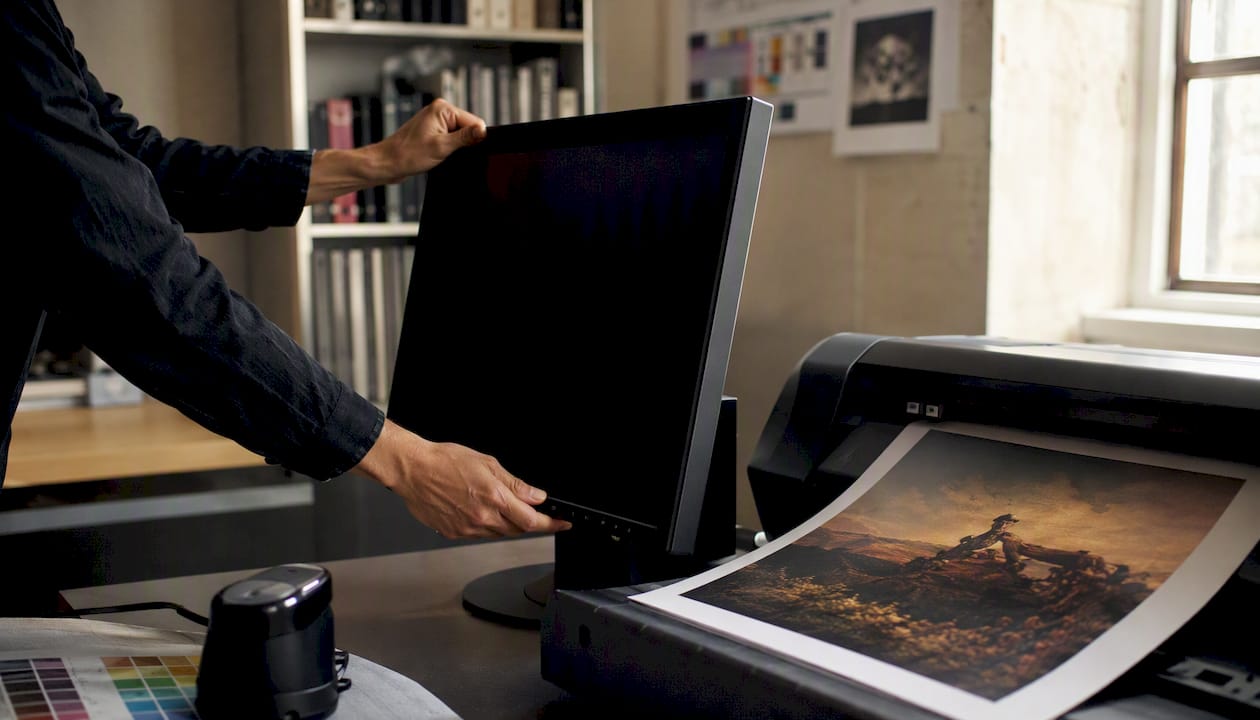
Every gallery owner, artist, and collector preparing for an online exhibition or sale needs the same core package: a lossless TIFF master, a web-optimized JPEG or WebP derivative, a signed PDF Certificate of Authenticity, and a metadata bundle that includes a VRA Core, LIDO export, plus a JSON-LD or XMP sidecar. These are the types of online art exhibition formats that determine whether a work can be ingested, displayed, and sold reliably across platforms.
Essential pre-exhibition package:
- Master image file (TIFF, lossless, 16-bit, embedded ICC profile)
- Web derivative (JPEG at q85 or WebP, sRGB, 1920–3840 px long edge)
- Video master (MOV/ProRes) and streaming copy (MP4/H.264) when applicable
- Signed Certificate of Authenticity as PDF or PDF/X
- Manifest file with SHA-256 checksums and relative file paths
- Metadata export: VRA Core XML or LIDO XML plus a JSON-LD sidecar
Artworksoft generates COAs, inventory sheets, and metadata exports directly from artwork profiles, making this package repeatable across an entire collection.
Key Takeaways
Preparing compliant digital art exhibition formats requires a lossless TIFF master, properly separated Work and Image records following VRA Core, a signed PDF Certificate of Authenticity, and a manifest with SHA-256 checksums and a Linked Art JSON-LD export.
| Point | Details |
|---|---|
| Master vs. derivative files | Keep a 16-bit TIFF master and generate JPEG/WebP derivatives from it, never from a prior JPEG. |
| Work Record vs. Image Record | Separate provenance and physical data (Work) from file technicals and view description (Image) per VRA Core. |
| COA and catalogue PDFs | Use PDF/X with embedded fonts and include a human-readable index. |
| Manifest and checksums | Include SHA-256 checksums, relative paths, MIME types, and a pointer to the VRA Core or LIDO export. |
| Artworksoft | Generates COAs, metadata exports, and manifests from artwork profiles, reducing pre-publish preparation time. |
1. What image file formats and specs should you prepare?
The professional workflow positions files in three tiers: a native studio file (PSD or similar), a lossless archival master, and optimized derivatives for web and client delivery. For online exhibitions and sales, the archival master and its derivatives are what matter most.
Master/archive: Save as uncompressed or lossless TIFF with an embedded ICC color profile. Adobe RGB covers a wide gamut for print reproduction; ProPhoto RGB suits archival capture workflows. Always export sRGB for web display. Use 16-bit depth for the master to preserve tonal range.
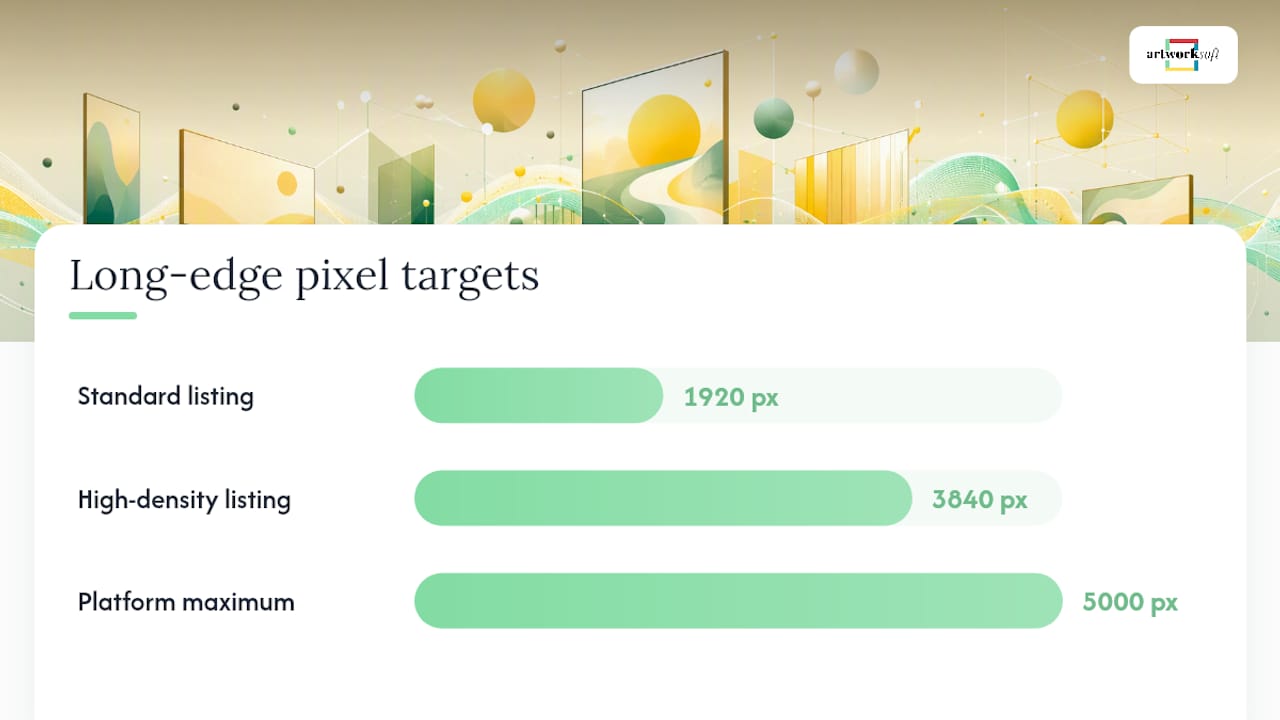
Web derivatives: JPEG at quality 85 is the standard for most gallery pages. PNG works where transparency is needed. WebP produces smaller files at comparable quality and is now supported by all major browsers. According to Shopify’s product media guidance, accepted image formats include PNG, JPEG, and WebP, up to 5,000 x 5,000 px and 25 megapixels. For most online gallery listings, 1920–3840 px on the long edge covers both standard and high-density screens.
| Spec | Master (Archive) | Web Derivative |
|---|---|---|
| Format | TIFF (lossless) | JPEG / WebP / PNG |
| Color profile | Adobe RGB or ProPhoto RGB | sRGB |
| Bit depth | 16-bit | 8-bit |
| Long edge (px) | Full capture resolution | 1920–3840 px |
| Max file size | No limit (cloud storage) | 25 MB (platform-dependent) |
Pro Tip: Avoid re-saving JPEG files repeatedly. Each save cycle introduces compression artifacts. Always regenerate web derivatives from the TIFF master, never from a prior JPEG.
2. How should you prepare video and time-based media files?
For video works and documentation footage, the delivery standard is MP4 with H.264 encoding and AAC audio. Keep master copies in MOV/ProRes or high-bitrate H.264 for archival integrity. Shopify’s media guidance confirms that video uploads accept MP4 and MOV up to 1 GB and up to 4K resolution, which reflects the practical ceiling most commerce and gallery platforms apply.
Practical encoding steps: conform to your target frame rate (24, 30, or 60 fps), encode H.264 at CRF 20 with the “faststart” flag so the file begins playing before it fully downloads, and pair with AAC audio. For review packages, trim clips to under three minutes; full presentation versions can run longer but should include chapter markers for compiled works.
Pre-delivery video checklist:
- Codec confirmed as H.264 (or H.265 where the platform accepts it)
- File plays correctly on both macOS and Windows without additional codecs
- Closed captions or a transcript file included
- Poster/thumbnail image exported as JPEG at the video’s native frame size
Pro Tip: Prepare two poster images: one at 16:9 for landscape display and one at 9:16 for mobile or social previews. A strong poster frame increases click-through on gallery listing pages.
3. What document and COA formats do professional submissions require?
Certificates of Authenticity, sales invoices, and exhibition catalogues should be delivered as PDF or PDF/X. PDF/X is the print-production standard: it requires embedded fonts and color profiles, which prevents text reflow and color shifts when a buyer or printer opens the file on a different system.
The College Art Association’s digital format guidelines specify acceptable file types, naming conventions, and size limits for professional submissions, including optimized PDFs. Their guidance treats consistent naming and tested file sizes as institutional expectations, not optional niceties.
A well-structured COA should include: title, artist full name, creation date, dimensions in inches (U.S. standard), medium, edition information if applicable, provenance summary, condition statement, a signature block, and the issuing gallery or artist’s contact information. For email delivery, keep the PDF under a moderate size to facilitate transmission. For cloud link delivery, higher-resolution versions are often tolerated.
Pro Tip: Include a human-readable index PDF at the top level of any delivery package. It should list every filename, its content description, and the corresponding artwork identifier. Recipients can then verify completeness without opening each file individually.
A single-page COA paired with a multi-page catalogue PDF in the same delivery folder gives buyers everything they need to authenticate, insure, and resell a work. Omitting either document is the most common reason a sale stalls at the due-diligence stage.
4. Which metadata fields separate a work record from an image record?
VRA Core 4.0 defines separate work, image, and collection record types. The work record describes the physical object: provenance, medium, dimensions, condition, and ownership history. The image record describes the digital file: view type, capture date, file format, resolution, and its relationship to the master. Keeping these separate means provenance data stays stable even when you create new derivatives or update display files.

The Visual Resources Association stresses this separation explicitly, noting that work and image information may be held in distinct tables or records and that both display-focused and machine-indexing elements are supported within the schema.
Minimal metadata set for online exhibition and sale:
- Title, artist name, creation date, dimensions (inches), medium
- Unique identifier (internal SKU or accession number)
- Provenance summary and condition report summary
- Rights/usage statement and COA reference
- Image file reference and SHA-256 checksum
VRA Core’s 19-element work description model and its 9-element visual document description map directly to these fields, supporting both human display and machine indexing.
5. How should you name files, structure folders, and create a manifest?
A consistent filename pattern prevents collisions and makes automated ingestion reliable. The recommended pattern is:
Lastname_Title_Year_View_####.ext
Example: Okafor_RedSeries_2024_Front_0001.tif
Use underscores as separators, no spaces, no special characters, and zero-padded sequence numbers. The CAA guidelines use a similar convention (lastname_firstname_01_title.jpg), confirming this as a cross-institutional standard.
Recommended folder structure:
/collection-name/
  /work-identifier/
    /images/       ← master TIFF + web derivatives
    /docs/         ← COA PDF, invoice, provenance docs
    /video/        ← master MOV + streaming MP4
  manifest.json
  index.pdf
The manifest.json file should list every file with its relative path, SHA-256 checksum, file size in bytes, MIME type, and a pointer to the metadata export (VRA Core XML, LIDO XML, or JSON-LD). Generating checksums is straightforward on any platform:
- macOS/Linux:
shasum -a 256 filename.tif - Windows (PowerShell):
Get-FileHash filename.tif -Algorithm SHA256
Pro Tip: Generate checksums before zipping or uploading the package, then verify them again after the recipient downloads. A mismatch signals file corruption in transit, not a metadata error.
6. When should you embed metadata versus using sidecar or schema exports?
Embedded metadata serves immediate display and rights communication. EXIF carries technical capture data (camera, date, GPS). IPTC fields cover descriptive content (title, creator, keywords). XMP is the container that holds both and adds rights and licensing fields. Embed XMP in every TIFF and JPEG before delivery.
Sidecar files (.xmp) are appropriate when the image format does not support embedded metadata reliably, or when you need to update metadata without re-saving the image. For schema-level exports, LIDO provides an XML schema designed for delivering descriptive and administrative metadata between collection systems and aggregators. Linked Art uses JSON-LD 1.1 as its core serialization format, making it the preferred choice for web APIs and linked-data consumers.
| Use case | Recommended format |
|---|---|
| Embedded rights in image file | XMP (IPTC fields) |
| Sidecar for RAW or locked files | .xmp sidecar |
| Aggregator/portal export | LIDO XML |
| Web API / linked data | Linked Art JSON-LD |
| CMS or marketplace ingestion | JSON-LD or custom CSV |
A basic Linked Art JSON-LD block for a painting maps title to _label, artist to carried_out_by, and identifier to identified_by, all within the https://linked.art/ns/v1/linked-art.json context.
Pro Tip: When creating web-optimized derivatives in bulk, check that your export tool does not strip embedded XMP. Adobe Lightroom, Capture One, and ExifTool all preserve XMP by default, but some batch-conversion scripts do not.
7. Rights, watermarks, alt text, and accessibility requirements
Rights metadata belongs in both the embedded XMP and the COA. At minimum, include: copyright owner, licensing terms (e.g., “All rights reserved” or a Creative Commons identifier), permitted uses, and any display embargo or geographic restriction.
For accessibility on gallery pages, write alt text that describes the work concisely: medium, subject, and any compositional detail a sighted viewer would notice. “Oil on linen, 36 x 48 inches, abstract composition in deep red and ochre” is more useful than “painting.” Video works require closed captions or a full transcript. For digital art products distributed as downloadable PDFs, such as pattern-based digital works, the same accessibility principles apply to any accompanying documentation.
Rights and accessibility checklist:
- Copyright owner and year embedded in XMP
dc:rights - Licensing terms stated in XMP
xmpRights:UsageTerms - Alt text written for every image on the listing page
- Captions or transcript file included with all video content
- Visible watermark applied to low-resolution preview images only
Pro Tip: Strip collector names, addresses, and insurance values from public-facing XMP before uploading. Keep that data in the internal Work Record within your collection management system, not in the file metadata a buyer can read with any EXIF viewer.
8. Pre-publish checklist before going live or sending files
Run this sequence on every work before publishing a listing or sending a delivery package to a buyer or institution.
- Open the TIFF master and confirm the embedded ICC profile is present.
- Open the web derivative and verify pixel dimensions and sRGB color space.
- Check the XMP sidecar or embedded metadata for title, artist, rights, and identifier.
- Run
shasumorGet-FileHashagainst the manifest and confirm all checksums match. - Open the COA PDF and confirm the signature block, provenance summary, and edition data are complete.
- Play the video file on both macOS and Windows; confirm captions load.
- View the listing page on a desktop browser, a tablet, and a mobile device; check image rendering and alt text.
- Confirm that collector contact details and insurance values are absent from public-facing metadata.
- For gallery CMS ingestion, run a one-work smoke test: import a single record and verify all fields populate correctly.
Artworksoft can generate COAs, manifests, and metadata exports directly from artwork profiles, reducing the time this checklist takes from hours to minutes.
The case for standardized formats in everyday gallery workflows
The gap between knowing these standards and actually applying them consistently is where most galleries lose time and credibility. VRA Core, LIDO, and Linked Art are not academic exercises. They are the reason a collector’s insurer can read a provenance record, a museum aggregator can ingest a LIDO export without manual cleanup, and a buyer’s legal team can verify authenticity from a PDF without calling the gallery.
The most common pitfall is not a wrong file format. It is a missing ICC color profile in a TIFF that looked correct on the studio monitor but arrived as a flat, washed-out image on the buyer’s screen. The second most common is a COA that lists dimensions in centimeters for a U.S. buyer who needs inches for insurance and customs documentation. Both errors are preventable with a template and a checklist.
Galleries that treat metadata as a documentation afterthought consistently undervalue their own inventory. A work with a complete VRA Core work record, a signed COA, a manifest with checksums, and a Linked Art JSON-LD export is a professionally managed asset. One without is a JPEG with a price tag.
How Artworksoft handles documentation, metadata exports, and delivery
Artworksoft gives galleries, artists, and collectors a structured system for producing every element in this guide without building it from scratch. The platform generates signed Certificates of Authenticity and inventory PDFs from artwork profiles, exports VRA Core and LIDO-compatible metadata, and produces manifests with file references. Artwork profiles store both master and derivative file references alongside provenance, condition, and rights data, keeping Work and Image records properly separated.

For secure delivery, Artworksoft’s role-based sharing controls let you grant collectors or buyers access to specific documents without exposing the full internal record. Start building a compliant, professionally documented collection today at Artworksoft.
Sources
- VRA Core 4.0 documentation and schemas - Library of Congress
- CAA Guidelines | Standards & Guidelines | College Art Association
- LIDO schema (latest) - Lightweight Information Describing Objects
- Linked Art data model and documentation
- VRA Core Oversight and documentation - Visual Resources Association











