


Use dynamic QR codes for most gallery, exhibition, and sales workflows. Reserve static codes for archival catalogs and permanent installations where the destination will never change.
Dynamic codes route through a redirect you control, so you can update the landing page, fix a broken link, or swap the destination entirely without reprinting a single label. That flexibility matters most for rotating exhibitions, sales-floor inquiries, and traveling shows, where the underlying content changes faster than the print run. Dynamic QR codes also generate scan-level analytics, which static codes cannot.
- Default choice: Dynamic QR codes for artwork records tied to inventory, provenance updates, and active sales conversations.
- Exception: Static codes for permanent collection catalogs or fixed installations, where a redirect subscription lapsing years later would break every printed code at once.
- Brand note: Artworksoft generates the artwork profiles, Certificates of Authenticity, and movement records that sit behind either code type, so the QR is only as strong as the record it points to.
Key Takeaways
Dynamic QR codes paired with a complete, centrally managed artwork record deliver more reliable inventory, provenance, and sales workflows than static codes or disconnected documentation ever can.
| Point | Details |
|---|---|
| Choose dynamic by default | Use dynamic codes for rotating shows, sales floors, and traveling exhibitions; reserve static codes for permanent archival catalogs. |
| Build the record before the code | A complete artwork profile with provenance, condition, and a COA should exist before you print anything. |
| Follow print specs precisely | Use SVG masters, high error correction for small prints, and a four-module quiet zone for reliable scans. |
| Layer placement, don’t saturate | Deploy entry, room-level, and select object-level codes rather than one code per piece. |
| Use Artworksoft to connect records to codes | Artworksoft’s artwork profiles, COA generation, and movement tracking give every QR code a documented, shareable destination. |
Dynamic vs. Static QR Codes for Inventory, Provenance, and Sales
A static QR code encodes the final destination URL directly into its pattern. A dynamic QR code encodes a short redirect link that you can repoint at any time, which means the printed code never has to change even when the artwork record behind it does.
For galleries and dealers, that distinction maps cleanly onto three situations:
- Rotating exhibitions and sales-floor labels: use dynamic codes. Prices change, works sell, and inquiry links need to route to whoever is handling that show this month.
- Traveling shows: use dynamic codes so the same printed catalog works at every venue, even when contact details or COA delivery methods shift between stops.
- Archival catalogs and permanent installations: use static codes, but only when the destination lives on a permanent, institution-controlled URL you’re confident will still resolve in a decade. Static codes make sense precisely because they carry no ongoing subscription dependency.
The trade-off is real in both directions. Dynamic codes depend on your redirect provider staying active. Static codes depend on a URL that never moves. Choose based on which risk you can actually manage.
What Should a QR Landing Page Include for Artwork Records?
The code itself is the easy part. The landing page is where inventory, provenance, and sales readiness either come together or fall apart. A QR code is only as useful as the page it points to, and a bare image with no context wastes the scan.
Build the destination page around these fields:
- Title, artist, date, and medium/dimensions — the baseline identifiers any collector or appraiser expects first.
- Edition number where applicable, plus provenance and exhibition history.
- Condition notes, especially for older or previously restored works.
- A downloadable Certificate of Authenticity in PDF form, gated behind permission if the piece hasn’t sold yet.
- A private inquiry or sales call-to-action that routes directly to you or your gallery’s sales contact.
Design the page mobile-first: readable type, one to three lines of contextual intro copy, and a load target under three seconds on a cellular connection. Use a short branded redirect domain, embed a stable record ID in the destination URL, and tag the link with UTM parameters so you can trace which show or postcard drove the scan. An artwork profile built with these fields in mind saves you from rebuilding the same page structure for every new piece.
Pro Tip: Keep the COA download separate from the public-facing description. A visitor browsing casually doesn’t need the same access as a collector mid-negotiation.
How Do You Print QR Codes That Actually Scan Reliably?
Production quality is where most gallery QR rollouts quietly fail. A code that looks fine on a laptop screen can be unreadable at arm’s length on textured card stock.
Work from a vector master. Export SVG as your archive file, since it scales without pixelation, then generate PNG exports for digital use like email campaigns or an event app. Keep the SVG on file permanently. It’s the version you’ll need if a label ever gets reprinted at a different size.
Error correction level matters more than most people assume. Use M (medium) for standard wall labels where the surface stays clean and unobstructed. Production specs for galleries generally recommend testing on the final substrate before committing to a print run.
- Maintain a quiet zone of at least four modules of blank space around every code.
- Increase code size by 20 to 30% on textured stock like watercolor paper or canvas.
- Laminate labels in high-traffic areas where fingers and sleeves brush against them daily.
Where Should QR Codes Go in a Gallery Space?
Placement decisions determine whether visitors actually scan or just walk past. The pattern that consistently works across museums and commercial galleries is layered rather than uniform: one entry-level QR at the door, a QR per major room or section, and object-level codes reserved for pieces where bespoke interpretation or an active sale justifies the extra layer.
Curatorial best practice treats this hierarchy as a way to avoid visitor fatigue. A code next to every single work signals that none of them are special, and scan rates drop accordingly.
- Place object-level codes adjacent to the wall label at eye level, never on the artwork or the floor.
- Use freestanding cards for sculpture or installation work where wall placement isn’t possible.
- Offer catalog postcards as a takeaway option for visitors who want to scan later, away from the crowd.
- Cap object-level codes in dense hangs and expand only after watching which pieces generate real engagement.
Tracking QR Scans Without Overstepping Visitor Privacy
Scan data tells you which artworks generate curiosity and which marketing channel actually drove the visit, but only if you collect it responsibly. Useful metrics include per-code scan counts, time-of-day patterns, device type, and referral or campaign tags carried through your redirect links.
Anonymized analytics let you measure engagement without tying scans to individual identities, which is the standard galleries should hold themselves to. Avoid collecting personal identifiers unless a visitor opts in explicitly, such as when they submit an inquiry form on the landing page itself.
- Route every dynamic code through a redirect that supports UTM tagging so campaign performance is traceable.
- Feed scan events into a single analytics dashboard rather than scattering data across multiple tools.
- Document retention periods and who has access to raw scan logs.
- Add a short privacy note on any landing page that captures form data, even something as simple as an email field.
Over-deployment carries its own cost here too: galleries that print a code next to every object tend to see lower per-code scan rates than those using a curated, tiered approach, because visitors stop treating each code as a genuine offer of extra content.
Connecting QR Codes to Your Inventory and Provenance Records
A QR code is a pointer, not a database. The real value comes from what sits on the other end of that redirect, and that’s where the mapping between code and record needs to be airtight.
The structure that works: a short redirect slug feeds into a stable artwork record ID, which resolves to a hosted page containing the current provenance, condition notes, and a downloadable COA. Change the artwork’s status, price, or exhibition history, and the same printed code reflects it instantly, because the redirect points at a living record rather than a static file.
This setup produces three concrete operational gains:
- Single-click access to full provenance and movement history for any collector, appraiser, or insurer who scans the code.
- Shareable artwork profiles that a buyer can forward to an advisor or spouse without you re-sending documentation.
- Automated record updates that cut down on the manual re-entry errors that creep into spreadsheet-based inventory tracking.
Artworksoft was built around exactly this workflow. Its structured valuation formula removes guesswork from pricing, its Certificate of Authenticity generator produces the PDF your QR landing page links to, and its movement tracking tools log every location change an artwork goes through, from studio to gallery to buyer’s wall. Shareable artwork profiles mean the QR code and the underlying record stay in sync without manual duplication.
Pro Tip: Assign the record ID before you print the label, not after. Retrofitting a QR code onto an existing spreadsheet system almost always creates duplicate or mismatched IDs down the line.
Testing and Maintaining Your QR Codes Over Time
A code that scans perfectly on your desk can fail entirely under gallery lighting or on a phone with a cracked screen protector. Test before committing to a full print run, then keep testing after installation.
- Pre-print checks: scan every code on both iOS and Android, verify landing-page load time stays under three seconds on cellular, and confirm quiet-zone spacing and contrast on the actual final substrate, not a proof.
- Rollout approach: pilot with a single room or show, monitor scan analytics for two to four weeks, adjust placement or landing content based on what you see, then scale to the rest of the collection.
- Ongoing maintenance: run a quarterly link audit, keep documented ownership of every redirect domain, and set a clear replacement policy for labels that get damaged, faded, or peeled.
Can QR Codes Power Augmented Reality or Interactive Art Experiences?
QR codes are increasingly the entry point into richer digital layers rather than the endpoint themselves. A code next to a painting can launch a short artist interview, a 3D rotation of a sculpture, or an augmented reality overlay that shows how a piece looked in a previous exhibition setting.
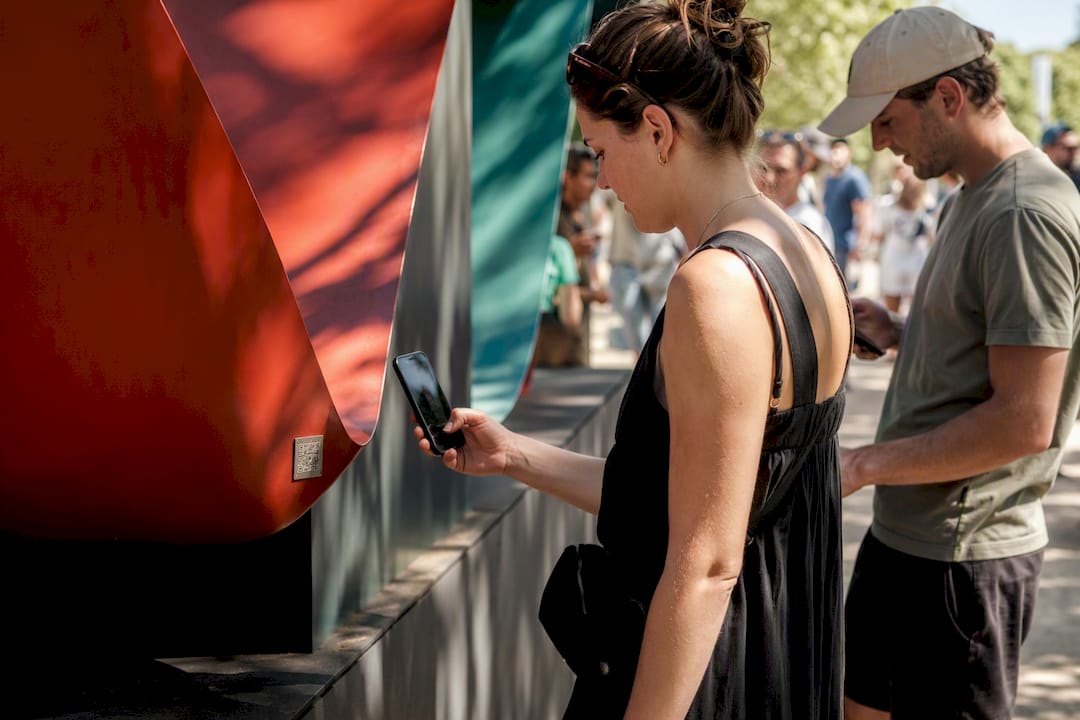
For galleries experimenting with this, the code still functions as a simple redirect. What changes is the destination: instead of a static text page, the landing experience might open a web-based AR viewer that overlays a virtual frame, shows scale against a room, or plays a narrated walkthrough recorded by the artist. None of this requires a dedicated app. Modern smartphone browsers support WebAR experiences directly, which keeps the friction low for a visitor who just wants a quick scan.
The practical caution is proportional effort. Building a full AR experience for every work in a group show is rarely worth it. Reserve interactive layers for signature pieces, gallery anchor works, or artist talks where the extra production time pays off in visitor engagement and social sharing. For everything else, a well-built static or dynamic landing page with strong provenance and sales information does more work per dollar spent.
Interactive layers also create a secondary benefit for documentation: an AR walkthrough or video statement can become part of the artwork’s permanent record, adding context that a printed label never could and that future buyers or institutions may value during due diligence.
What Legal Issues Come With Linking Artwork Through QR Codes?
Linking a physical artwork to a digital page raises a few legal questions that galleries and artists should think through before printing anything.
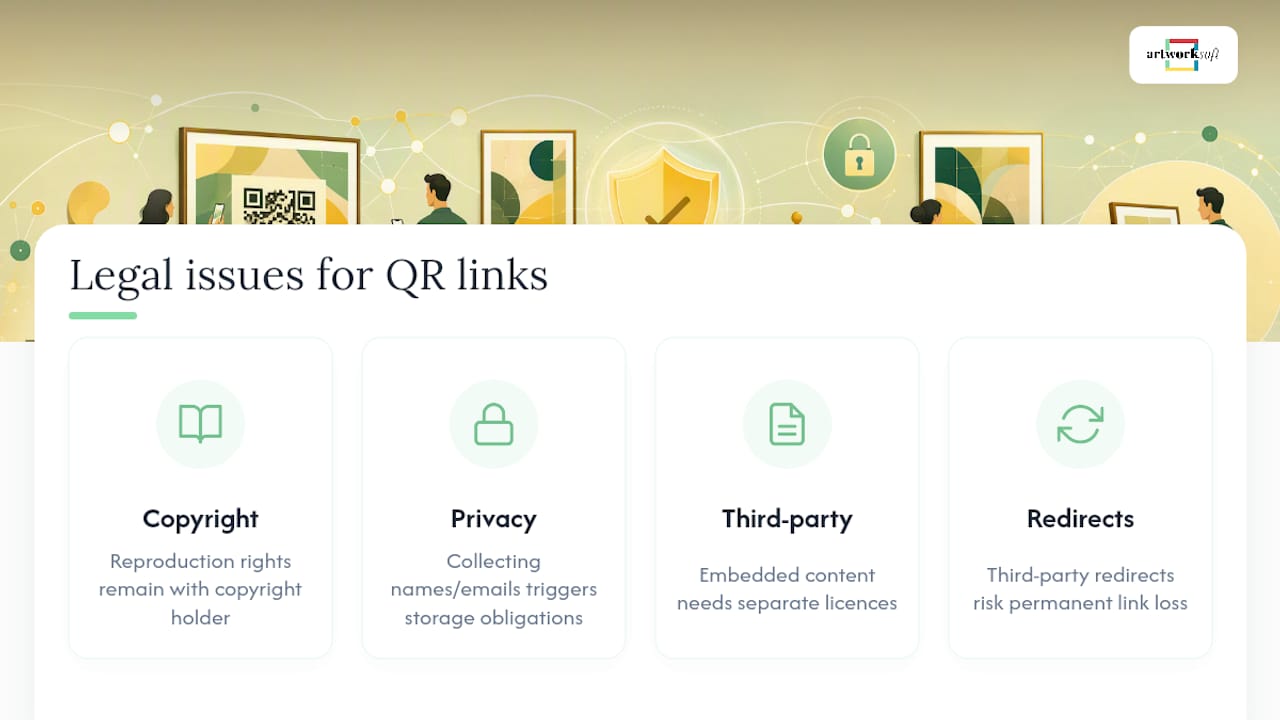
Copyright ownership of the artwork image itself doesn’t change because you’ve added a QR code. If you’re displaying a reproduction of the piece on the landing page, whoever holds copyright, typically the artist unless rights were transferred at sale, still controls how that image gets used and reproduced. Get explicit permission in writing when a gallery is representing a piece on consignment and wants to publish high-resolution images or video on a public landing page.
Privacy law applies the moment a landing page collects visitor data. If your inquiry form gathers names, emails, or phone numbers, you’re responsible for how that information gets stored and used, and a visible privacy note on the page is the baseline expectation rather than a nice extra.
Third-party content embedded behind the code, licensed music on a video walkthrough, a quoted review, a third-party appraisal, carries its own licensing requirements independent of the QR code itself. The code doesn’t create new liability, but it does make it easier for more people to encounter content you may not have cleared for public display.
Finally, if a redirect provider goes out of business or changes its terms, you could lose control of a link embedded in printed materials you no longer have the ability to update, particularly relevant for consignment agreements where documentation access is a contractual obligation. Building on infrastructure you control, rather than a free third-party shortener, avoids that exposure.
Real Examples: Where QR Codes Have Worked in Gallery Settings
The strongest QR implementations share a common trait: they treat the code as a bridge to something worth reaching, not a technology flex. A rotating exhibition space that swaps shows every six to eight weeks benefits enormously from dynamic codes, since the gallery can point last month’s printed postcards at this month’s content without a single reprint.
Traveling exhibitions face a different but related problem: the same printed catalog needs to work in three or four cities with different local contacts and sale terms. Dynamic redirects solve this by letting the destination update per venue while the printed piece stays identical across the tour.
Smaller commercial galleries have found success using a tiered approach: one QR code at the entry linking to current show information and hours, and object-level codes reserved only for pieces actively for sale, where a scan leads directly to pricing and inquiry contact. This mirrors the curated deployment pattern that keeps scan rates meaningfully higher than blanket object-level coverage.
Archival catalogs for permanent collections represent the other end of the spectrum. A museum publishing a print catalog meant to last twenty years has no interest in a redirect that might break; static codes pointing directly at a permanent, institution-hosted page fit that use case far better than a dynamic link tied to a vendor subscription that may not exist in a decade.
An Editor’s Take on Why Most Galleries Get QR Codes Wrong
The mistake most galleries make isn’t choosing the wrong code type. It’s treating the QR code as the finished product instead of the doorway. A perfectly printed, perfectly scannable code that opens onto a thin, generic landing page has accomplished nothing except proving the technology works.
The galleries getting real value from this are the ones who built the record first and the code second: a complete artwork profile with provenance, condition, and a real Certificate of Authenticity, then a QR code that simply points at it. That order matters more than most rollout guides admit, because it forces you to solve the documentation problem before you solve the printing problem.
There’s also a quieter benefit that doesn’t show up in scan analytics: buyer confidence. A collector who can pull up full provenance and a downloadable COA from their phone, mid-conversation, moves through due diligence faster than one waiting on a follow-up email. Less paperwork friction tends to close deals sooner, not just look more professional.
Start small. Pick one show, instrument it properly, and watch what the scan data actually tells you before expanding to the full collection.
— Nealda
Let Artworksoft Power What Your QR Codes Point To
A QR code is only as strong as the record behind it, and that’s exactly where Artworksoft does the heavy lifting. Every artwork profile you build inside the platform, complete with provenance, condition notes, movement history, and a generated Certificate of Authenticity, becomes a ready-made landing destination for either a static or dynamic code.

Instead of stitching together a spreadsheet, a separate PDF generator, and a third-party redirect tool, Artworksoft keeps the artwork profile, documentation, and sales tracking in one connected system, so updating a record automatically keeps every linked QR destination current. Its structured valuation formula also means the pricing information behind your sales-floor codes reflects a defensible methodology rather than a guess.
If you’re planning your first QR rollout or rebuilding an existing one, start by setting up your art inventory with Artworksoft’s free plan and build out a handful of artwork profiles before you print a single label.
Sources
- QR codes in museums and art galleries
- Guidelines for Using QR Codes in Art Galleries
- How to Add a QR Code to Your Art Exhibition | Awesome Toolkit
- QR codes in museums: adoption and best practices. · Convo
- Art Gallery QR Codes 2026: Wall Labels, Audio Guides, Sales | EZQR











