

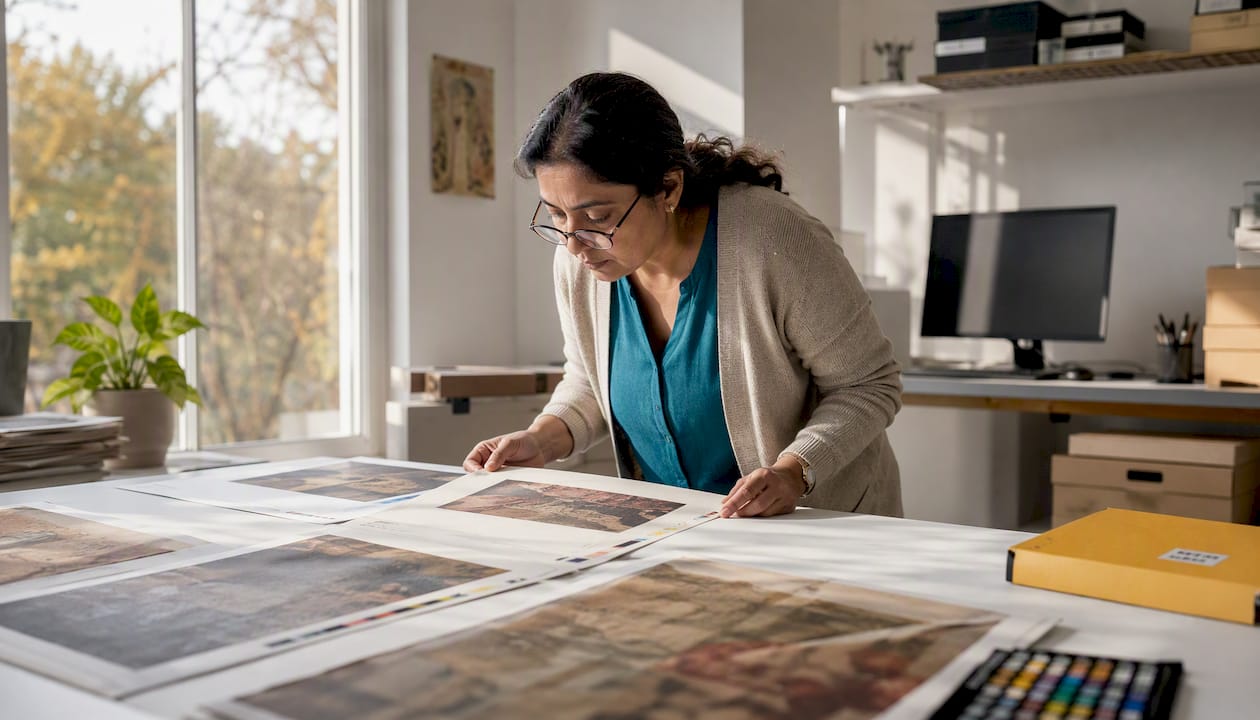
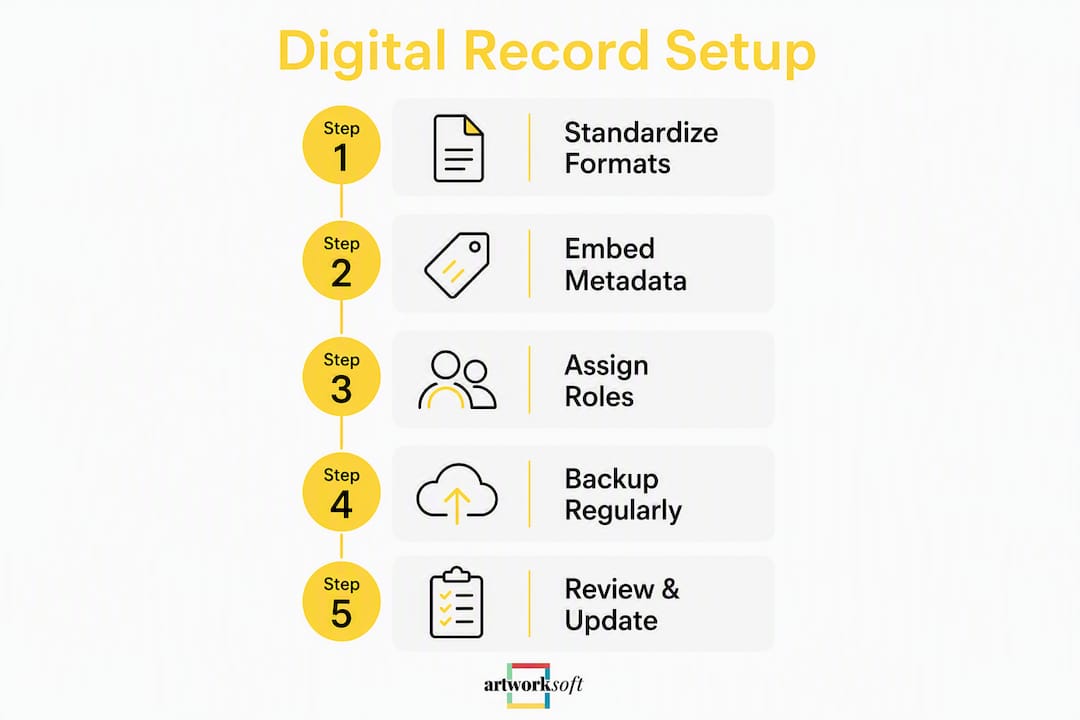
Sustainable framing and conservation, in the context of collection management, means building digital-first, metadata-rich records that make every artwork traceable, exportable, and stewarded over its full lifecycle. The recommended approach: standardize on PDF/A and TIFF/JPEG formats, embed IPTC and Dublin Core metadata at acquisition, and deploy a cloud-based collection-management system configured for long-term exports.
Three immediate actions:
- Standardize all documentation on PDF/A (reports) and TIFF/JPEG (images) to reduce obsolescence risk
- Embed structured metadata (IPTC, Dublin Core, XMP) at the point of image capture and record creation
- Adopt a cloud collection-management system, such as Artworksoft, configured for exportable PDF/A packages and CSV/JSON metadata sidecars
What does a complete digital conservation record include?
A conservation record is not a single file. It is a structured dossier composed of multiple record types, each serving a distinct stewardship function. Contemporary and time-based media artworks require records of artist intent, technical display specs, and past iterations to support future reinstallation, making completeness a preservation requirement, not a preference.
A complete artwork dossier covers:
- Condition reports — baseline and periodic assessments with annotated images
- Conservation interventions — dated records of treatments, materials used, and technician sign-off
- Installation and iteration histories — display configurations, component lists, and past installation photographs
- Artist intent questionnaires — artist questionnaires capture intent, essential components, limitations, and installation details to form a preservation plan
- Provenance and valuation links — acquisition records, chain-of-title documents, and current appraisal references
- Movement and location logs — loan records, courier notes, and current storage location
- Environmental logs — temperature, humidity, and light-exposure readings linked to the artwork record
- Loan packets — loan packets with operating manuals, on/off videos, installation diagrams, and condition reports enable borrowers to install and assess works independently
What file formats and metadata standards should you use?
Standardized long-term formats reduce obsolescence risk and support integrity checks. The table below maps each record type to the correct format and minimum specification.
| Format | Use Case | Minimum Spec |
|---|---|---|
| PDF/A | Condition reports, certificates, invoices | PDF/A-1b or PDF/A-2b |
| TIFF | High-resolution archival images | — |
| JPEG | Working copies, web sharing | — |
| RAW / ProRes | Born-digital or video-based works | Camera native; transcode to ProRes |
| CSV / JSON-LD | Metadata sidecars and export packages | UTF encoded |
Embedding standardized tags (IPTC, Dublin Core) makes records searchable, filterable, and traceable by future conservators. Every file should carry these core metadata fields at minimum: record ID, artwork title, accession number, timestamp, creator, technician, storage location, and checksum/hash.
File naming should follow a consistent hierarchy: [AccessionNumber]_[RecordType]_[YYYYMMDD]_[Version]. For example: 2024.017_ConditionReport_20240315_v02.pdf. Store files in a parallel folder structure that mirrors the record type, not the artist name, so records remain findable after staff turnover.
Pro Tip: Configure your imaging station to auto-populate IPTC fields (title, accession number, technician, date) at the point of capture using software such as Adobe Bridge or Photo Mechanic. This eliminates manual metadata entry and reduces transcription errors.
Link environmental logs and condition reports via shared object identifiers and consistent timestamps to preserve full context. Isolated datasets are one of the most common and costly documentation failures.
How should governance and update cadence work?
Clear role assignments prevent data drift. The table below defines who owns each record type.

| Role | Responsibility | Cadence |
|---|---|---|
| Registrar | Creates and versions condition reports; manages movement logs | At intake, post-loan, annually |
| Conservator | Authors treatment records; approves condition assessments | Per intervention; quarterly review |
| Curator | Approves artist intent records; links provenance | At acquisition; as needed |
| Preparator | Updates installation and iteration histories | Per installation |
| IT / Systems Admin | Runs fixity checks; manages backups and access controls | Monthly fixity; quarterly audit |
Governance also requires a change-control policy. Only the record owner may edit a finalized document; all revisions create a new version with a timestamp and author tag. Audit logs must be non-editable. For institutions using art documentation platforms, role-based access controls enforce these policies automatically.
Cadence checklist:
- Intake condition report within 48 hours of receipt
- Scheduled full-collection audit annually
- Post-loan inspection within five business days of return
- Environmental log review monthly, linked to condition records by shared accession number
How should you design storage, backups, and exports?
Cloud storage is the practical default for U.S. institutions: it provides geographic redundancy, access controls, and audit logging without on-premises hardware costs. On-premises storage remains appropriate for institutions with strict data-sovereignty requirements, but it demands active maintenance that many smaller organizations cannot sustain. Digital art requires storage, active preservation (fixity checking, upgrades), and documentation at acquisition and throughout its lifecycle.
Backup architecture:
- Primary copy — cloud repository with role-based access and audit logs
- Geo-redundant copy — second cloud region or data center, synced nightly
- Offline copy — encrypted external drives or LTO tape, updated quarterly
Run fixity checks monthly on the primary copy and quarterly on the offline copy. Any checksum mismatch triggers an immediate incident report.
Export and interoperability requirements:
- Spreadsheet exports (CSV) for metadata and inventory lists
- PDF/A packages for condition reports and certificates
- TIFF image bundles for archival image sets
- JSON-LD metadata sidecars for linked-data interoperability
Before migrating to a new system, test: file integrity (checksums match), link integrity (provenance records connect to the correct artwork), role mappings (access permissions transfer correctly), and metadata completeness (no fields dropped during export).
What must your collection-management software support?
Use this checklist to score any platform under evaluation. A “Yes” in every row is the baseline for sustainable conservation records.
| Feature | Why It Matters | Required? |
|---|---|---|
| PDF/A and TIFF/JPEG export | Ensures long-term readability without proprietary software | Yes |
| IPTC / Dublin Core / XMP embedding | Transforms files into queryable, traceable assets | Yes |
| Condition-report workflows | Structures assessments and links them to artwork records | Yes |
| Movement and location tracking | Supports loan management and lifecycle accountability | Yes |
| Valuation and provenance linking | Connects condition impact to valuation outcomes | Yes |
| Professional PDF/A report generation | Produces Certificates of Authenticity, invoices, and reports | Yes |
| Role-based access and audit logs | Enforces governance and change-control policies | Yes |
| CSV / JSON export and integrations | Prevents vendor lock-in; supports migration | Yes |
| User roles and approval workflows | Assigns ownership and prevents unauthorized edits | Yes |
| Tiered pricing and onboarding support | Makes adoption feasible for organizations of all sizes | Yes |
Metadata is the differentiator: without structured, standardized metadata, digital assets remain static. Platforms that cannot embed or export IPTC and Dublin Core fields fail the sustainability test regardless of their other features.
What does a 30/60/90-day implementation look like?
| Phase | Key Activities | Success Metric |
|---|---|---|
| Days 1–30 | Discovery: audit existing records, define naming conventions, select pilot collection | All pilot works inventoried with accession numbers |
| — | Data cleanup, metadata mapping, pilot import, staff training | 90%+ of pilot records with full metadata; first condition reports generated |
| — | Full collection rollout, fixity checks enabled, audit log review | All records exported and verified; first PDF/A report package produced |
Typical cost components:
- Software subscription (monthly or annual SaaS fee)
- Onboarding and setup fees (platform configuration, template creation)
- Staff time for data cleanup and metadata capture
- Imaging and digitization hardware (scanner, calibrated camera)
- Optional expert documentation services for large or complex collections
Measure success by import completeness (percentage of works with full metadata), time-to-report (hours from intake to completed condition report), and the number of records with linked environmental logs.
What should you do in the next 30 days?
Start with a defined pilot, not the entire collection. A focused first sprint produces usable records fast and surfaces process gaps before they scale.
- Select a pilot group of 20–50 works representing your collection’s range
- Run a sample condition inventory using a standardized report template
- Enforce the naming convention:
[AccessionNumber]_[RecordType]_[YYYYMMDD]_[Version] - Capture TIFF archival images with IPTC and XMP fields populated at capture
- Enable automatic fixity checks on the pilot folder
- Link environmental log entries to condition reports using the shared accession number
For contemporary works, send an artist questionnaire covering: intended display configuration, acceptable component substitutions, known failure points, and preferred conservation contacts. Practitioners who involve the artist early and treat documentation as ongoing produce the most resilient conservation records for reinstallation scenarios.
Pro Tip: On large incoming shipments, use condition reporting as a triage tool: flag works needing immediate attention first, then complete detailed reports in priority order. This prevents vulnerable works from waiting in a queue while lower-risk items are processed.
For textile or needlework pieces, finishing and mounting techniques also inform conservation documentation, particularly when recording display configurations and material sensitivities.
How does Artworksoft meet the conservation checklist?
Artworksoft maps directly to every requirement in the feature checklist above.
| Requirement | Artworksoft Capability |
|---|---|
| File format and resolution support | Accepts and stores TIFF, JPEG, and PDF/A uploads; exports in original format |
| Metadata standards | Structured fields for accession number, provenance, condition, location, and valuation; exportable as CSV |
| Condition-report workflows | Built-in condition reporting linked to artwork profiles and movement records |
| Movement and location tracking | Full movement and location logging with loan and exhibition records |
| Valuation and provenance linkage | AI-assisted valuation linked to condition records and provenance chain |
| PDF/A report generation | Generates Certificates of Authenticity, invoices, and professional reports as PDF documents |
| Security and audit logs | Role-based access controls with non-editable audit trails |
| Exportability and integrations | CSV and PDF export packages; structured metadata export for migration |
| User roles and workflows | Configurable roles for registrars, curators, conservators, and administrators |
| Pricing and support | Tiered plans including a free entry tier; onboarding support available |
Pro Tip: Configure Artworksoft to auto-generate a condition report template at the point of artwork intake. Link the environmental log entry to the same accession number immediately, so both records are connected from day one.
Artworksoft’s art digital archiving module supports exportable PDF/A bundles and CSV metadata packages, which means migration to a future system does not require rebuilding records from scratch. The platform also connects artwork identification and traceability to provenance and valuation workflows in a single interface.
Key Takeaways
Digital-first conservation records built on PDF/A, TIFF/JPEG, and embedded IPTC/Dublin Core metadata are the foundation of sustainable artwork stewardship, and Artworksoft provides the cloud infrastructure to implement and maintain them.
| Point | Details |
|---|---|
| Standardize formats immediately | Use PDF/A for all documents and TIFF for archival images. |
| Embed metadata at capture | IPTC, Dublin Core, and XMP fields must be populated at the point of image acquisition, not retroactively. |
| Link records by shared identifiers | Connect condition reports and environmental logs using a consistent accession number and timestamp. |
| Govern with defined roles and cadence | Assign record ownership by role and schedule intake reports, annual audits, and post-loan inspections. |
| Artworksoft as the implementation path | Artworksoft covers every checklist requirement, from condition reporting to PDF/A export, with tiered pricing and onboarding support. |
The case for treating documentation as a living system
The most persistent gap in conservation practice is not a lack of records. It is the assumption that documentation is a one-time task completed at acquisition. Collections that treat their records as living knowledge, updated at every intervention, loan, and reinstallation, consistently produce more reliable condition histories and more defensible valuations.
One pattern worth noting: institutions that store condition reports and environmental logs in separate systems routinely lose the contextual link between a spike in humidity and a subsequent condition change. The fix is straightforward, a shared accession number and synchronized timestamps, but it requires a governance decision, not a technical one. The checklist in this guide is designed to make that decision explicit before the first record is created.
For contemporary and time-based works, the artist questionnaire is the single highest-leverage document in the dossier. It captures intent and technical tolerances that no conservator can reconstruct after the fact. Institutions that delay this step until the artist is unavailable often find themselves making reinstallation decisions without the information they need.
Documentation, done well, is a form of institutional memory. The formats and metadata standards described here are the mechanism. The governance structure is what keeps that memory current.
Artworksoft gives you a ready-to-deploy conservation record system
Galleries, collectors, and institutions that follow this guide need a platform that handles the technical requirements without requiring a custom build. Artworksoft delivers condition reporting, movement tracking, AI-assisted valuation, provenance linkage, and professional PDF document generation in a single cloud interface, configured for the standards described here.

The platform’s tiered pricing, including a free starting plan, means organizations can begin with a pilot collection and scale without a large upfront commitment. Onboarding support covers template configuration, naming convention setup, and metadata field mapping, so the first condition report can be generated within days of account creation.
Start your free account at Artworksoft and bring your conservation records into a system built for long-term stewardship. For institutions evaluating options, the artwork management services page details onboarding, documentation templates, and valuation support available at each tier.











