


In this guide, “art-backed lending and financing” refers to the software and workflows that make artworks finance-ready by documenting, valuing, tracking, and administrating sales, consignments, and loan-style transactions. This is not a guide to collateral lending products. The subject here is collection management infrastructure: the systems that turn artwork into a professionally documented, auditable asset. For galleries, collectors, and art businesses in the United States, the most direct path is a single integrated platform that links provenance, Certificates of Authenticity (COAs), valuations, and transaction status to each object. Artworksoft is one implementation-ready option built precisely for that purpose. Start with a free trial or work through the implementation checklist in Section 7.
Why does documentation make artwork finance-ready?
Galleries that prioritize documentation at first sale build measurably more trust and long-term market value. Professional reporting and digital COAs protect both the financial and historical value of a work, and the market shift toward transparency in 2026 makes provenance-first workflows a competitive advantage, not just good housekeeping.
Fragmented records are the primary operational risk. When invoices, COAs, and movement records live in separate email threads, physical folders, or siloed PDFs, authentication disputes become likely and settlement timelines stretch. Centralized digital records that travel with the artwork give future buyers, insurers, and institutional partners instant access to authenticated documentation tied to the specific object.
Pro Tip: At first sale, capture these fields immediately: artist full name, title, medium, dimensions, date of creation, distinguishing marks, and the buyer’s name and contact. Attach a signed COA and a scan of the bill of sale as PDFs linked directly to the artwork record. Those five minutes at intake prevent years of disputes.
What core software features does art-secured financing require?
Finance-readiness depends on specific software capabilities. Missing even one creates a gap that slows settlements, complicates insurance claims, or undermines valuation credibility. The following features are non-negotiable for any gallery or collector managing art asset lending workflows:
- Unique artwork IDs and inventory records — each object needs a permanent identifier linking all documents, transactions, and locations to one canonical record.
- COA generation and PDF export — authentication directly affects artwork price; the system must produce signed, branded COAs on demand.
- Provenance linking — bills of sale, loan agreements, exhibition records, and ownership history attached to the artwork profile, not stored separately.
- Condition and installation imagery — timestamped photos at intake, transit, and installation create the visual chain of custody insurers and lenders require.
- Transaction types: sale, consignment, and loan — each type carries different document requirements and status stages; the system must handle all three natively.
- Structured valuation tools — comparable sales, condition adjustments, and artist-market trajectory recorded inside the system, not in a separate spreadsheet.
- Movement and location tracking — every physical transfer logged with date, carrier, and destination.
- User roles and permissions — staff, consignors, and external partners see only what their role permits.
- Immutable audit trail and exportable reports — a complete, tamper-evident log exportable as a package for legal or partner review.
- Accounting and settlement integration — auto-generated settlement statements attached to sales reduce payout disputes and reconciliation time.
Artworksoft covers this full feature set within a single cloud-based interface, connecting artwork profiles, inventory, and transactions without requiring separate tools.
How does a structured valuation workflow actually work?
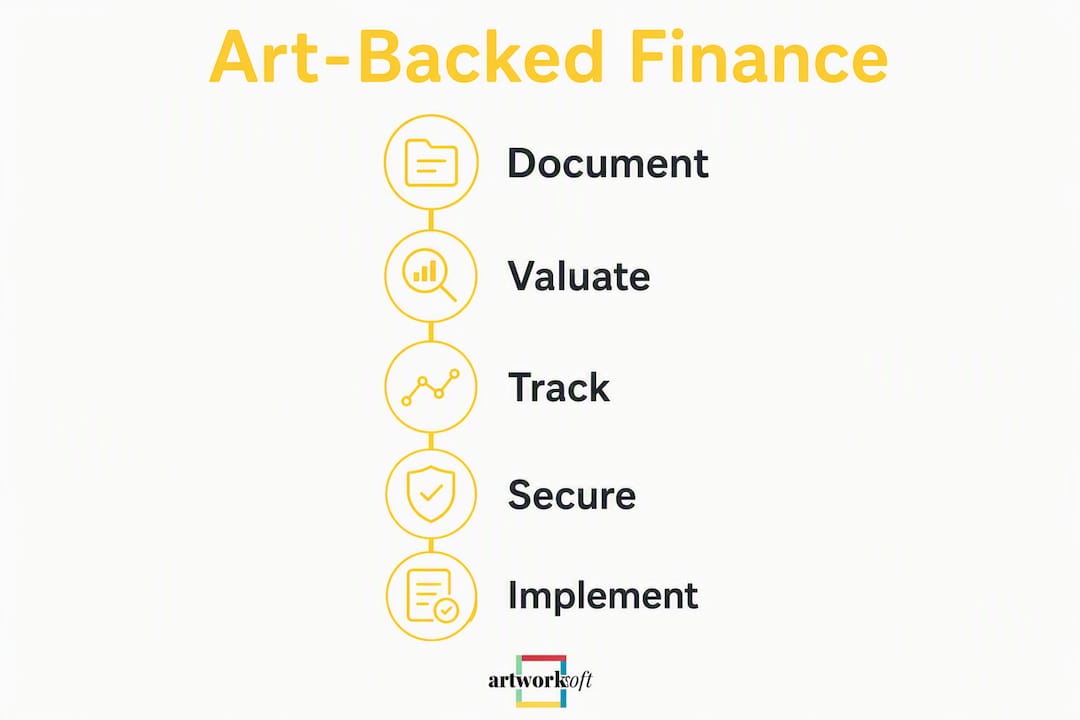
Valuations must be structured, evidence-based, and auditable inside the system. A valuation recorded only in a PDF or email carries no chain of custody and cannot be verified by a finance partner. The inputs must live in the artwork record itself.
| Valuation Input | Purpose | Example Source |
|---|---|---|
| Comparable sales | Establish market range | Auction records, gallery sales data |
| Condition grade | Adjust for physical state | Condition report with photos |
| Artist-market trajectory | Reflect career momentum | Exhibition history, press coverage |
| Exhibition and publication record | Document institutional validation | Museum loans, catalog citations |
| Market channel adjustment | Account for primary vs. secondary | Dealer vs. auction premium/discount |
A structured valuation formula that records these inputs inside the system produces auditable outputs finance partners accept more readily. Once the inputs are logged, the system generates an exportable valuation report that includes the methodology, the comparables used, and the resulting figure. That report, attached to the artwork record alongside the COA and provenance documents, constitutes a finance-ready documentation package.
How do you track the full transaction lifecycle in one system?
A single status field plus linked documents prevents most settlement and provenance disputes. The lifecycle for each transaction type moves through defined stages, and each stage triggers specific document requirements.
- Offered — artwork listed; COA and provenance documents attached to the record.
- Reserved — buyer identified; deposit receipt or letter of intent linked.
- Invoiced — sale invoice or consignment contract generated and attached.
- Shipped — shipping record, carrier details, and condition report at departure logged.
- Installed / On-loan — location updated; installation photos and insurance certificate attached.
- Returned (consignment/loan) — condition report at return logged; any damage noted.
- Settled — settlement statement generated; commission calculated and attached; record closed.
Before a transaction record reaches “finance-ready” status, the following documents must be attached: a signed COA, the sale invoice or consignment contract, a condition report with photos, a shipping record, and a settlement statement. Sales and transaction management built on this model eliminates the fragmented custody that is the leading cause of lost value.
What security and compliance controls does U.S. art transaction data require?
Secure, auditable records and role-based access are required to make transaction data credible to U.S. partners, insurers, and legal counsel. In U.S. litigation, a documented chain of custody carries significant evidentiary weight. Blockchain records alone cannot verify the accuracy of an initial provenance entry and supplement rather than replace traditional document-centric systems. Digitized records still require secure storage, custodial controls, and admissibility foundations to be useful in legal contexts.
Minimum technical and process controls to require from any software vendor:
- Encrypted cloud backups with geographic redundancy
- Immutable audit trail (no record deletion without logged override)
- Role-based permissions separating staff, consignors, and administrators
- File integrity checks to detect tampering
- Export formats suitable for legal review (PDF, CSV, structured data packages)
- Access logs showing who viewed or edited each record and when
Pro Tip: Before a major transaction or insurance renewal, export a full audit package for each artwork involved. Review it as a third party would. If any stage in the chain of custody is missing a document or timestamp, fill the gap before the review, not during it.
What does a realistic implementation timeline look like?
A scoped pilot of 2–6 weeks, followed by staged rollout, minimizes disruption for most galleries and collectors.
| Phase | Typical Duration | Owner |
|---|---|---|
| Discovery and requirements | 1–2 weeks | Gallery director / IT lead |
| Data migration and field mapping | 1–2 weeks | Operations staff + vendor support |
| Pilot (top 10–20 artworks) | 2–4 weeks | Gallery staff |
| Staff training | 1 week | Vendor onboarding team |
| Full go-live | Ongoing | All staff |
| Post-live audit | 2–4 weeks after go-live | Director + operations |
Budget categories to plan for: subscription tier (monthly SaaS fee), migration and onboarding support, photography and condition reporting for existing inventory, and staff time for data entry and training. Pre-launch checklist: define all required metadata fields, scan and upload existing COAs and bills of sale, assign user roles and permissions, and identify the top 10–20 artworks to use as the pilot dataset.
How do you choose the right art-management software?
The single most important criterion is whether the software creates an auditable chain of custody and links legal documents to each object. Everything else is secondary.
Decision criteria in priority order:
- Documentation and COA workflow — can the system generate, store, and export signed COAs linked to artwork records?
- Valuation tools — does it record structured inputs (comparables, condition, trajectory) inside the record, not in a separate file?
- Transaction types supported — sale, consignment, and loan-style tracking must all be native, not workarounds.
- Location and movement tracking — every physical transfer logged with date and carrier.
- Audit trail and export capability — full package exportable for legal or partner review.
- Accounting and POS integration — settlement statements auto-generated and attached to sales.
- User permissions — granular role management for staff, consignors, and external partners.
- Onboarding support and pricing model — transparent tiers with migration assistance.
Vendor questions to ask in demos: “How do you export an audit package for a single artwork?” “Can you show me a COA generated from an artwork record?” “What happens to my data if I cancel?” “How are user permissions structured for consignors?”
Red flags: siloed PDFs with no link to the artwork record; no role-based permissions; export formats that require manual reformatting; unclear data migration policy; valuation fields stored outside the system.
How does Artworksoft handle these workflows in practice?
Artworksoft ties provenance, COAs, valuations, and transaction status in one record, from intake through settlement.
A typical workflow: a gallery adds a new artwork, assigns a unique ID, and completes the profile with artist details, medium, dimensions, and distinguishing marks. The system generates a branded COA as a PDF, which is attached to the record immediately. A structured valuation is entered using comparable sales, condition grade, and exhibition history. The artwork is listed for consignment; the consignment contract is attached and the status moves through offered, reserved, shipped, and installed. At settlement, the system generates a settlement statement with commission calculated, and the full record, including all attached documents, is exported as an audit package.

Sample COA PDFs, valuation report templates, and the full feature walkthrough are available via the free trial. Onboarding support is included to help galleries and collectors scope their pilot dataset and configure user roles from day one.
Key Takeaways
Galleries and collectors that document provenance at first sale, use auditable structured valuations, and track every transaction stage in one system produce finance-ready artwork records that satisfy U.S. partners, insurers, and institutional buyers.
| Point | Details |
|---|---|
| Document at first sale | Capture artist, title, medium, dimensions, and buyer details at intake; attach a signed COA immediately. |
| Use structured valuations | Record comparables, condition grade, and artist trajectory inside the system to produce auditable, exportable valuation reports. |
| Track every transaction stage | Move each sale, consignment, or loan through defined status stages with required documents attached at each step. |
| Require exportable audit trails | Choose software that exports a complete, tamper-evident documentation package suitable for legal or partner review. |
| Artworksoft as a starting point | Artworksoft links provenance, COAs, valuations, and transaction status in one record, with a free trial and onboarding support available. |
Why fragmentation is the real problem art software must solve
The conventional framing around art documentation focuses on compliance: galleries document because they have to. That framing misses the actual business case. Fragmented custody, invoices in one folder, COAs in another, movement records in email, is not a filing problem. It is a value destruction problem. Every gap in the chain of custody is a point at which a buyer, insurer, or institutional partner can reasonably doubt the record. Doubt reduces price and slows settlement.
The more useful frame is asset management. An artwork with a complete, auditable record attached to it is a different class of asset from one without. The documentation is not separate from the work’s value; it is part of the value. Software that eliminates fragmentation by design, linking every document, location, and transaction status to one canonical record, does not just reduce administrative work. It produces a more valuable asset.
The galleries and collectors who will have the strongest position in the U.S. market are those who treat documentation infrastructure as a core business function, not an afterthought. The tools to do that are available now, and the cost of not using them compounds with every undocumented transaction.
Artworksoft: start your pilot with a free trial
For galleries, collectors, and art businesses ready to move from fragmented records to a finance-ready documentation system, Artworksoft offers a free trial with no setup fee and onboarding support included.

Before your demo, prepare a pilot dataset of your top 10–20 artworks: gather existing COAs, bills of sale, and any condition reports. Artworksoft’s onboarding team will help you map your data fields, configure user roles, and generate your first COA and valuation report within the first session. The platform handles art documentation, inventory, valuations, and transaction tracking in one interface, so your records are audit-ready from day one.
Start your free trial at Artworksoft or review the well-documented asset guide to scope your implementation before the first call.











