


An artist highlight is a professionally documented dossier that ties a single artwork or project to high-resolution images, provenance records, a Certificate of Authenticity (COA), condition data, exhibition history, and sales records. The immediate next step: capture one high-resolution image, attach provenance documentation and a COA, and create an inventory record in a collection management system such as Artworksoft. Institutional programs like the Missouri Arts Council’s featured-artist initiative demonstrate that structured highlights serve both promotional and archival functions simultaneously.
Table of Contents
- Why artist highlights matter for galleries, collectors, and artists
- What every professional artist highlight must include
- How long highlights take and a realistic process timeline
- How highlights support pricing, valuation, and sale readiness
- Practical system setup: metadata schema and inventory software features
- What a completed one-page artist highlight looks like
- Key Takeaways
- The case for treating highlights as infrastructure, not marketing
- Artworksoft supports your full highlight workflow
- Useful sources and further reading
Why artist highlights matter for galleries, collectors, and artists
Highlights are as important to valuation and provenance as they are to promotion. That distinction shapes how professionals should build and maintain them.
Three core professional uses define their value:
- Collection management: Movement tracking, loan documentation, and insurance records all depend on a complete highlight record attached to each work.
- Valuation support: Exhibition history, primary gallery sales, and condition reports feed directly into appraisal models and fair market value assessments.
- Marketing and press materials: Curators and buyers expect a single-page dossier, not a social media post.
Curator Kateryna Tsyhykalo used highlights and a retrospective to reposition and document Oleksandr Dubovyk’s career, demonstrating how institutions use artist spotlights to anchor an artist’s place in history. The Missouri Arts Council’s program, which has featured 260 artists through June 2026 and pays a $500 stipend and license fee per featured artist, packages highlights across homepage promotion, monthly email, and social channels — a model galleries can replicate internally.
What every professional artist highlight must include
A professional highlight requires six core asset groups: visuals, identifiers, provenance, condition data, exhibition and sales records, and contextual narrative. The table below maps each field to its professional purpose.

| Field | Why it matters | Recommended format |
|---|---|---|
| High-resolution images (min. 300 DPI) | Primary visual evidence for buyers, insurers, and appraisers | TIFF or high-quality JPEG; include color card and scale reference |
| Catalog number / artist ID | Unique identifier for inventory, loans, and movement tracking | Alphanumeric string (e.g., JS-2024-xxx) |
| Title, medium, dimensions, date | Core metadata for valuation and exhibition records | Text fields; use controlled vocabulary |
| Provenance documentation | Establishes ownership chain; critical for authentication | PDF or scanned document |
| Certificate of Authenticity (COA) | Confirms authorship; required for professional sales and loans | PDF attached to inventory record |
| Condition report | Documents physical state; affects artwork valuation | Structured PDF with dated photographs |
| Exhibition history | Supports price justification and institutional credibility | Bulleted list with venue, date, and curator name |
| Sales records | Primary gallery sales and auction results anchor market value | Invoice or auction record PDF |
| Curator or critical citations | Adds institutional authority to the narrative | Quoted text with source and date |
| Narrative copy (1–2 sentences) | Positions the work as pinnacle or portfolio piece | Plain text; discipline-aware language |
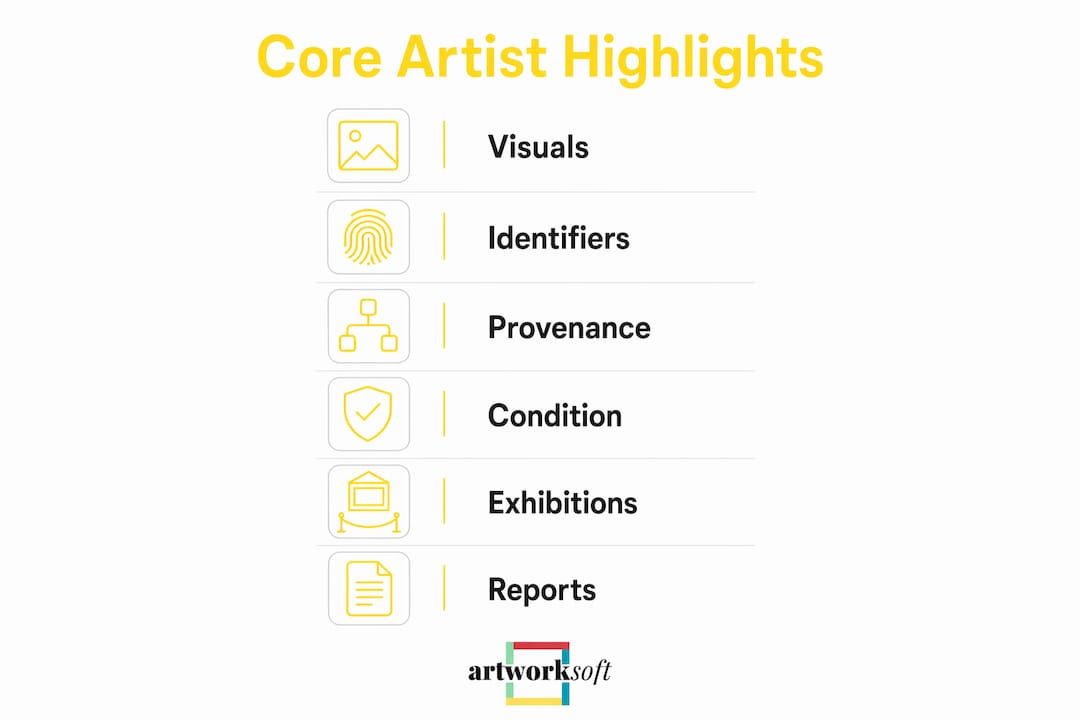
Images should be captured from the front, back, and at least one detail angle. Include a color calibration card and a scale reference in at least one shot. Attach COA and condition report PDFs directly to the inventory record so they travel with the work through every transaction and loan.
How long highlights take and a realistic process timeline
Timeline depends entirely on scale. A single-work highlight for a mid-career portfolio piece takes one to three days. A pinnacle work or retrospective centerpiece can require months. Amy Sherald’s triptych Ecclesia took roughly six months to complete and prepare for exhibition, requiring scaffolding and larger brushes due to scale — a useful benchmark for planning imaging and documentation schedules on large-format works.
The standard workflow for building a professional highlight:
- Capture images — professional photography with color card, scale reference, and detail shots.
- Document metadata — title, medium, dimensions, date created/completed, catalog number.
- Verify provenance — confirm and scan the ownership chain; note any gaps.
- Attach COA — generate or upload the COA PDF and link it to the inventory record.
- Complete condition report — photograph and note any condition issues; date the report.
- Create the inventory entry — enter all fields, attach all files, and flag the work as a highlight or keystone.
- Publish and share — generate a one-page PDF and distribute via client portal, press kit, or exhibition file.
Pro Tip: Schedule highlight capture as part of every work’s completion checklist. Block studio or gallery time for professional imaging before the work ships — once it leaves, re-photographing it becomes logistically difficult and expensive.
For ongoing series or retrospectives, archiving completed projects systematically as each work is finished prevents documentation backlogs.
How highlights support pricing, valuation, and sale readiness
Highlights that combine provenance, exhibition history, condition reports, and a COA materially strengthen valuation and buyer confidence. Each element contributes a distinct layer of evidence that appraisers and collectors use to justify price.
Exhibition records show that the work has been vetted by institutional curators. Primary gallery sales establish a price baseline. Condition reports confirm the work’s physical integrity, which directly affects realized price. Curator citations add critical authority that neither the artist nor the gallery can self-generate.
“Practical highlight documentation — curator quotes, process notes, and clear provenance — is what separates a professional sales asset from a social media post. Collectors and appraisers use these records to justify price points and establish artist reputation in the market.”
When preparing a sales proposal or loan file, attach the COA, condition report, provenance summary, and exhibition history as a single package. Missing a high-resolution image or an attached COA can reduce a highlight from a professional sales asset to a mere promotional post — and that gap often shows up in the realized price.
Practical system setup: metadata schema and inventory software features
Structure metadata for discoverability from the start. A standard schema should include catalog number, artist ID, date created and completed, dimensions, medium, current location, provenance summary, COA attachment, condition report, exhibition and sales fields, and a prominence flag (keystone or highlight).
| Field name | Data type | Controlled vocabulary / example |
|---|---|---|
| Catalog number | Text (alphanumeric) | JS-2024-xxx |
| Artist ID | Text | Linked to artist profile record |
| Date created / completed | Date | YYYY-MM-DD |
| Medium | Text (controlled list) | Oil on canvas; bronze; mixed media |
| Dimensions (H × W × D) | Numeric + unit | — |
| Location | Text (linked) | Gallery A, Storage Unit 3 |
| Prominence flag | Boolean / dropdown | Keystone; Highlight; Portfolio |
| COA attached | Boolean + file link | Yes — COA_Simms_ThresholdIV_2024.pdf |
| Condition report | File link + date | CR_JS2024042_2025-03.pdf |
| Exhibition history | Repeating text block | Venue, city, date, curator name |
Key software features to activate for highlight workflows:
- Attachment and versioning: Store multiple image files, COA versions, and condition reports against a single record.
- Movement and location tracking: Log every transfer, loan, and exhibition so the provenance chain stays current.
- Transactions module: Record primary sales and loan agreements; link invoices to the artwork record.
- PDF generation: Produce one-page highlight PDFs, COA documents, and condition reports on demand.
- Analytics dashboards: Monitor which flagged highlights receive the most client attention.
Pro Tip: Use a dedicated “prominence” or “highlight” flag in your inventory so keystone works surface automatically in reports, proposals, and client-facing catalogs. Artworksoft’s art inventory tools include this flag natively, along with PDF generation and movement tracking built for exactly this workflow.
What a completed one-page artist highlight looks like
A single-page highlight mockup gives staff a template to copy and adapt. The structure below shows exact field copy for each section.
Headline: Jordan Simms — “Threshold IV” (2024)
Lead image: 1,200 × 900 px thumbnail (300 DPI source); front view with color card visible.
Provenance summary: Commissioned directly from the artist, March 2024. Acquired by private collector, New York, June 2024. No gaps in ownership chain.
Exhibition history:
- New Geometries, Pace Gallery, New York, September 2024 — curated by [name]
- Material Futures, Dallas Museum of Art, January 2025
COA: Attached — COA_Simms_ThresholdIV_2024.pdf (signed by artist, notarized)
Condition summary: Excellent. No restoration. Condition report dated March 2025 on file.
Curator citation: “Threshold IV represents Simms’s most resolved engagement with spatial tension to date.” — [Curator Name], Pace Gallery, 2024.
Attachments for PDF distribution: hi-res image (TIFF), COA PDF, condition report PDF, provenance file.
Attachments for web profile: compressed JPEG (1,200 px), COA PDF, exhibition list as plain text.
For artwork profile management, keep the web version lightweight and the PDF version complete with all attachments.
Key Takeaways
A professional artist highlight requires images, provenance, a COA, condition data, exhibition records, and a prominence flag in inventory to support valuation, sales, and institutional use.
| Point | Details |
|---|---|
| Six core asset groups | Every highlight needs visuals, identifiers, provenance, condition data, exhibition/sales records, and narrative copy. |
| COA and condition report are non-negotiable | Missing either reduces professional credibility and can lower the realized sale price. |
| Pinnacle works need multi-month planning | Large-scale or retrospective works require extended timelines for imaging, documentation, and exhibition preparation. |
| Flag keystone works in inventory | A prominence flag surfaces highlights automatically in reports, proposals, and client catalogs. |
| Artworksoft for highlight workflows | Artworksoft generates COA and highlight PDFs, tracks movement and transactions, and flags keystone works within a single inventory system. |
The case for treating highlights as infrastructure, not marketing
The most persistent mistake in professional art documentation is treating highlights as a marketing deliverable rather than a permanent record. Galleries produce a polished one-page PDF for a sale, then file it away and never update it. Collectors receive a highlight at acquisition and never attach it to the inventory record. Artists build a press kit for one exhibition and let it go stale.
The consequence is structural. When an appraisal is needed, the condition report is missing. When a loan is requested, the provenance chain has gaps. When a retrospective is planned, the exhibition history is incomplete. Curators who work with living artists treat each highlight as a building block for the career narrative — a point made clearly in the documentation of Oleksandr Dubovyk’s retrospective, where years of accumulated records gave the curator the material to reframe an entire career.
The practical fix is to treat highlight capture as infrastructure: a recurring operational task, not a one-time marketing project. Schedule it. Assign it. Flag the records. The artists and galleries that do this consistently are the ones whose works appraise cleanly, sell with confidence, and enter institutional collections without friction.
Artworksoft supports your full highlight workflow
Artworksoft gives galleries, collectors, and artists a single system to build, manage, and share professional highlights without the administrative overhead of assembling documents across multiple tools. Attach COA and condition report PDFs directly to each artwork record, flag keystone works so they appear automatically in reports and proposals, and generate one-page highlight PDFs ready for client distribution.

The platform’s structured metadata templates map directly to the checklist in this guide. Movement and location tracking keeps provenance current through every loan and transfer. The analytics dashboard shows which flagged highlights are drawing client attention, so galleries and collectors can prioritize follow-up. For artists managing a growing body of work, Artworksoft’s artwork documentation tools reduce the time between completion and a fully documented, shareable highlight.
Start a free inventory and documentation trial at Artworksoft and build your first professional highlight today.
Useful sources and further reading
- Missouri Arts Council — Featured Artists: Documents how an institutional program packages artist highlights for promotion, stipends, and multi-channel distribution.
- The Art Newspaper — Oleksandr Dubovyk retrospective: Shows how curators use accumulated highlights to reframe and document a living artist’s career.
- CBS News — Amy Sherald on Ecclesia: Illustrates multi-month production and documentation timelines for large-scale pinnacle works.
- Artworksoft — Art Inventory Tools: Feature overview of metadata fields, movement tracking, and PDF generation for highlight workflows.
- Artworksoft — Artwork Condition Impact on Valuation: Explains how condition data within a highlight affects appraisal and realized price.
- Artworksoft — Art Valuation Methods: Valuation frameworks that pair with highlight documentation for pricing justification.











